Today, we're expanding the Gemini 3 model family with the release of Gemini 3 Flash, frontier intelligence built for speed at a fraction of the cost. You can start building with it immediately, as we’re officially launching Gemini 3 Flash on Firebase AI Logic. Available globally, you can securely access the Gemini 3 Flash preview model directly from your app via the Gemini Developer API or the Vertex AI Gemini API using Firebase AI Logic client SDKs. Gemini 3 Flash’s strong performance in reasoning, tool use, and multimodal capabilities is ideal for developers looking to do more complex video analysis, data extraction and visual Q&A.
Gemini 3 optimized for low-latency
Gemini 3 is our most intelligent model family to date. With the launch of Gemini 3 Flash, we are making that intelligence more accessible for low-latency and cost-effective use cases. While Gemini 3 Pro is designed for complex reasoning, Gemini 3 Flash is engineered to be significantly faster and more cost-effective for your production apps.
Seamless integration with Firebase AI Logic
Just like the Pro model, Gemini 3 Flash is available in preview directly through the Firebase AI Logic SDK. This means you can integrate it into your Android app without needing to do any complex server side setup.
Here is how to add it to your Kotlin code:
val model = Firebase.ai(backend = GenerativeBackend.googleAI())

    .generativeModel(modelName = "gemini-3-flash-preview")
Scale with Confidence
In addition, Firebase enables you to keep your growth secure and manageable with:
AI Monitoring
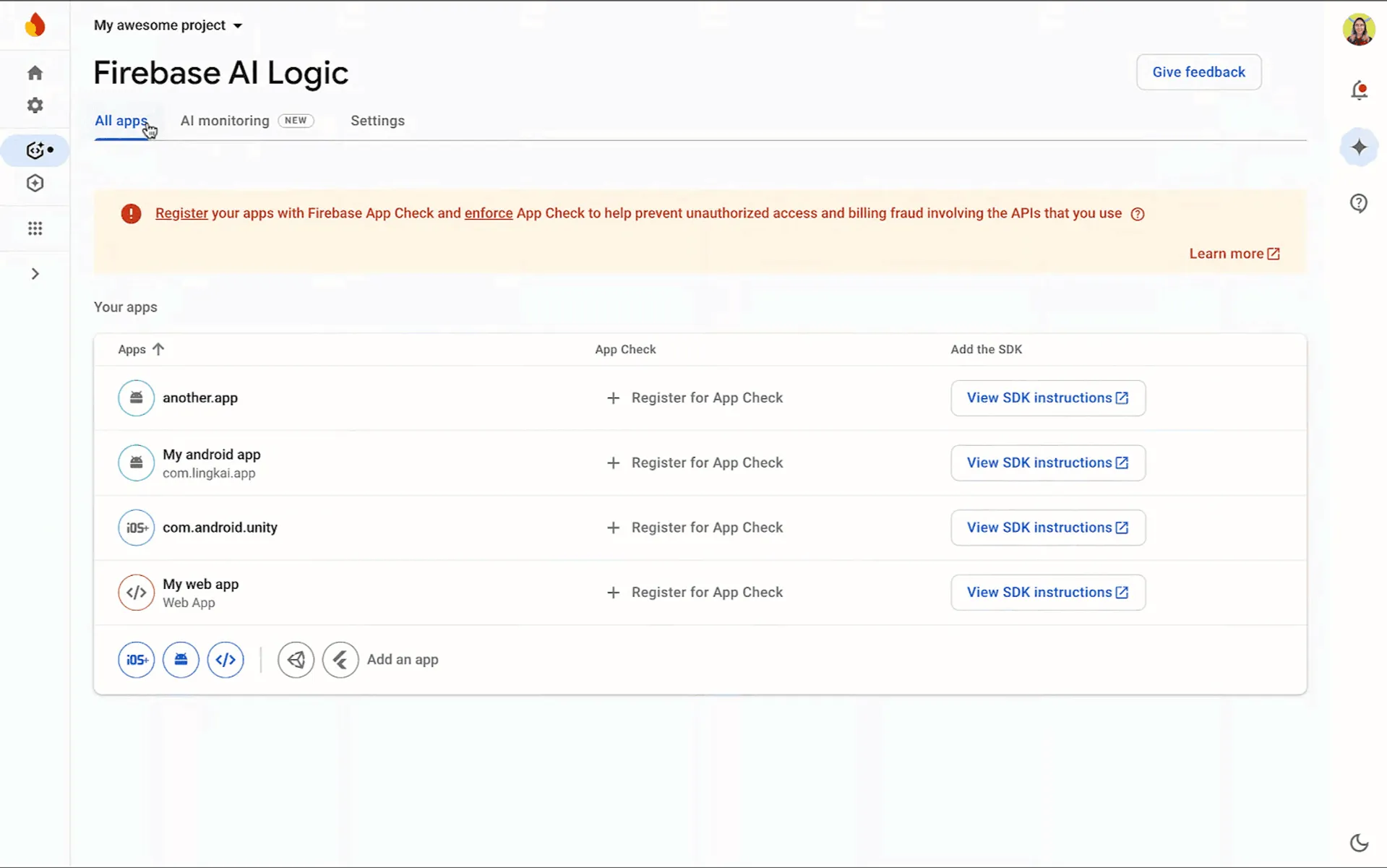
The Firebase AI monitoring dashboard gives you visibility into latency, success rates, and costs, allowing you to slice data by model name to see exactly how the model performs.
Server Prompt Templates
You can use server prompt templates to store your prompt and schema securely on Firebase servers instead of hardcoding them in your app binary. This capability ensures your sensitive prompts remain secure, prevents unauthorized prompt extraction, and allows for faster iteration without requiring app updates.
---

model: 'gemini-3-flash-preview'

input:

  schema:

    topic:

      type: 'string'

      minLength: 2

      maxLength: 40

    length:

      type: 'number'

      minimum: 1

      maximum: 200

    language:

      type: 'string'


—--


{{role "system"}}

You're a storyteller that tells nice and joyful stories with happy endings.


{{role "user"}}

Create a story about {{topic}} with the length of {{length}} words in the {{language}} language.
Server prompt template defined using the Firebase console
val generativeModel = Firebase.ai.templateGenerativeModel()
val response = generativeModel.generateContent("storyteller-v10",
    mapOf(
        "topic" to topic,
        "length" to length,
        "language" to language
    )
)
_output.value = response.text
Code snippet to access the server prompt template
Gemini 3 Flash for AI development assistance in Android Studio
Gemini 3 Flash is also available for AI assistance in Android Studio. While Gemini 3 Pro Preview is our best model for coding and agentic experiences, Gemini 3 Flash is engineered for speed, and great for common development tasks and questions.
The new model is rolling out to developers using Gemini in Android Studio at no-cost (default model) starting today. For higher usage rate limits and longer sessions with Agent Mode, you can use an AI Studio API key to leverage the full capabilities of either Gemini 3 Flash or Gemini 3 Pro. We’re also rolling out Gemini 3 model family access with higher usage rate limits to developers who have Gemini Code Assist Standard or Enterprise licenses. Your IT administrator will need to enable access to preview models through the Google Cloud console.
Get started today
You can start experimenting with Gemini 3 Flash via Firebase AI Logic today. Learn more about it in the Android and Firebase documentation. Try out any of the new Gemini 3 models in Android Studio for development assistance, and let us know what you think! As always you can follow us across LinkedIn, Blog, YouTube, and X.
-

 Product News
If you are an Android developer looking to implement innovative AI features into your app, we recently launched powerful new updates.
Thomas Ezan • 2 min read -

 Product News
Adding custom images to your app can significantly improve and personalize user experience and boost user engagement.
Thomas Ezan, Mozart Louis • 5 min read -

 Product News
Maintaining a healthy Android ecosystem is a shared commitment where every app and game has a role to play.
Raghavendra Hareesh Pottamsetty • 4 min read
Get the latest Android development insights delivered to your inbox weekly.