Создание гида смешанной реальности с использованием Android XR, геопространственного API и Gemini.
6 минут чтения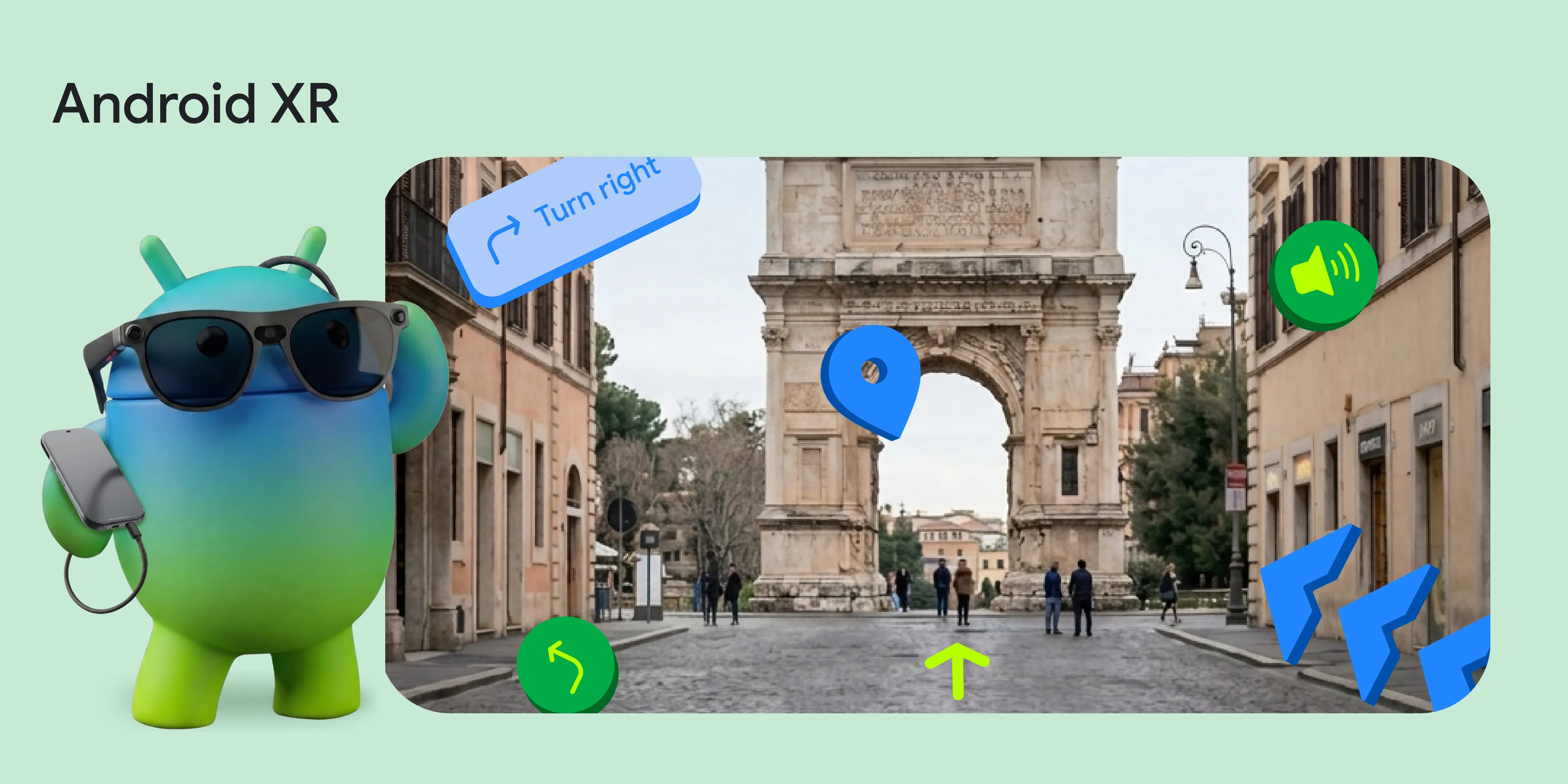
На конференции Google I/O в этом году мы анонсировали обновление для пространственных приложений: API геопространственных данных теперь доступен в предварительной версии ARCore для Jetpack XR . Благодаря интеграции системы визуального позиционирования Google (VPS) в Android XR, Android XR позволяет привязывать цифровой контент к физическому миру с точностью до долей метра и точной ориентацией в поддерживаемых областях.* Чтобы изучить возможности API геопространственных данных, наша команда создала демоверсию: геопространственный тур XR.
Представьте, что вы заходите в новый город, надеваете проводные XR-очки (например, грядущий XREAL Project Aura) и мгновенно получаете опытного местного гида, который проведет вас по окрестностям. Вам не нужно смотреть на двухмерную карту — вместо этого трехмерные модели мягко направляют ваш путь, а интеллектуальный голос рассказывает об исторических достопримечательностях прямо перед вами. Мы объединили геопространственные API , API Gemini с использованием Firebase AI Logic , Google Maps Grounding и Jetpack XR SDK , чтобы создать захватывающую пешеходную экскурсию без использования рук.
Предупреждение: Видео и приложение «Экскурсовод» предназначены только для демонстрационных целей. Некоторые фрагменты были сокращены. Любое показанное оборудование может находиться в стадии разработки; окончательные характеристики продукта могут отличаться.
Давайте рассмотрим детали реализации и покажем, как мы связали эти API вместе, чтобы создать пространственную модель мирового масштаба.
1. Определение местоположения пользователя с помощью геопространственного API ARCore (VPS)
Улучшите свои навыки навигации в XR, объединив мощь GPS с точностью VPS. Точность и прецизионная ориентация, обеспечиваемые VPS, позволяют трехмерным точкам маршрута совпадать с реальным миром.
Именно поэтому API геопространственных данных в Android XR может помочь вам создавать пользовательские приложения. Используя передовые технологии компьютерного зрения, VPS пытается предоставить геопространственную позицию (включая широту, долготу и направление), которая точнее, чем GPS.
Вот как мы получаем геопространственную координату пользователя, сопоставляя ориентацию устройства с геопространственными координатами:
// Retrieve the current geospatial pose from the ARCore session
val result = geospatial.createGeospatialPoseFromPose(arDevice.state.value.devicePose)
if (result is CreateGeospatialPoseFromPoseSuccess) {
    val pose = result.pose
    Log.d("VPS", "Accurate Location: ${pose.latitude}, ${pose.longitude}")
}
Поскольку вся работа системы зависит от этой точности, мы отслеживаем значения horizontalAccuracy и orientationYawAccuracy до тех пор, пока они не достигнут наших пороговых значений. Если пользователь находится в помещении или в незнакомой зоне, мы предлагаем ему «пройти в общественное место на открытом воздухе и осмотреться».
2. Составление маршрута с помощью API Gemini и Google Maps Grounding
Получив местоположение, мы используем API Gemini с помощью Firebase AI Logic, чтобы заставить модель Gemini выступать в роли местного гида. Мы передаем координаты пользователя модели и просим ее выдать структурированный JSON-ответ, содержащий информацию о ближайших пешеходных маршрутах:
   val configForTools = ToolConfig(
      functionCallingConfig = null,
      retrievalConfig = retrievalConfig {
        latLng = FirebaseLatLng(pose.latitude, pose.longitude)
        languageCode = "en"
      }
    )

    val responseJsonSchema = Schema.obj(
      mapOf(
        "locationIntro" to Schema.string(),
        "tours" to Schema.array(
          Schema.obj(
            mapOf(
              "title" to Schema.string(),
              "description" to Schema.string(),
              "stops" to Schema.array(
                Schema.obj(
                  mapOf(
                    "name" to Schema.string(),
                    "detailedName" to Schema.string(),
                    "description" to Schema.string()
                  )
                )
              )
            )
          )
        )
      )
    )

    val model = Firebase.ai(backend = GenerativeBackend.googleAI()).generativeModel(
      modelName = "gemini-3.5-flash",
      tools = listOf(Tool.googleMaps()),
      generationConfig = generationConfig {
        responseMimeType = "application/json"
        responseSchema = responseJsonSchema
      }
    )

   val result = model.generateContent("The user is at latitude ${pose.latitude} and longitude ${pose.longitude}. Generate exactly 3 diverse tours near this location (e.g., historical, food, nature). All tour ideas should be walking distance only.")
Крупные языковые модели отлично справляются с созданием подробных описаний, но иногда могут давать неточные координаты широты/долготы. Для решения этой проблемы мы использовали функцию Google Maps Grounding для привязки ИИ к конкретным координатам.
3. Голос, который вас направит: Gemini 2.5 TTS
Чтобы создать ощущение полного присутствия гида в кадре, мы использовали динамическую озвучку.
Используя gemini-2.5-flash-tts model , мы можем настроить генерацию модели таким образом, чтобы она возвращала аудиоданные вместо простого текста! Вот как можно запросить ResponseModality.AUDIO :
val ttsModel = Firebase.ai(backend = GenerativeBackend.googleAI())
    .generativeModel(
        modelName = "gemini-2.5-flash-tts",
        generationConfig = generationConfig {
            // Instruct the model to return Audio
            responseModalities = listOf(ResponseModality.AUDIO)
        }
    )

val response = ttsModel.generateContent("Say in a neutral but positive voice:\n$prompt")

// Extract the raw audio bytes from the response
val audioBytes = response.candidates.firstOrNull()?.content?.parts
    ?.filterIsInstance<InlineDataPart>()
    ?.firstOrNull { it.mimeType.contains("audio") }?.inlineData
4. Оживление в 3D с помощью Jetpack XR
Последний элемент головоломки — отображение этих данных в поле зрения пользователя. SDK Jetpack XR делает переход от 2D-интерфейса Android к пространственным вычислениям интуитивно понятным.
Для создания пространственных компонентов мы использовали Jetpack Compose for XR. Для отображения точек интереса вдоль маршрута мы создали компонент InfoSphere, который содержит модель 3D-шара, парящего в пространстве, с которым можно взаимодействовать для получения информации.
Используя Jetpack XR SDK, мы можем размещать 3D-модели рядом с пользовательским интерфейсом Compose с помощью SpatialBox и SceneCoreEntity . Мы также использовали InteractableComponent для реагирования на касания пользователя.
Сочетая AnimatedSpatialVisibility для традиционных поверхностей пользовательского интерфейса Compose с 3D-элементами SceneCoreEntity, мы можем органично интегрировать данные в физический мир.
@Composable
fun InfoSphere(
    content: InfoBubbleContent,
    session: Session,
    sphereModel: GltfModel,
    isSelected: Boolean,
    onClick: () -> Unit
) {
    // SpatialBox lets us arrange 3D components and SpatialPanels together
    SpatialBox(
        SubspaceModifier
            .offset(x = 2.dp, y = 1.dp, z = (-3).dp) // Positioned in 3D space
    ) {
        // Smoothly animate the visibility of our 2D Compose UI Panel
        AnimatedSpatialVisibility(visible = isSelected) {
            SpatialPanel {
                InfoBubble(content) // Regular 2D Compose UI
            }
        }
        // Render our interactive 3D sphere
        SceneCoreEntity(
            factory = {
                GltfModelEntity.create(session, sphereModel).also { entity ->
                    // Make the 3D model respond to user taps
                    entity.addComponent(InteractableComponent.create(session) { inputEvent ->
                        if (inputEvent.action == InputEvent.Action.UP) {
                            onClick()
                        }
                    })
                }
            }
        )
    }
}
Откройте для себя возможности Android XR уже сегодня!
Создание приложения XR Geospatial Tour показало нам, что порог входа для разработчиков Android в мировые пространственные проекты ниже, чем когда-либо. Благодаря тому, что API Geospatial теперь доступен в режиме предварительного просмотра на Android XR, ваши приложения могут беспрепятственно понимать окружающий их физический мир. Объединив API Compose for XR с высокоточными данными о местоположении VPS и генеративными возможностями Gemini, мы можем создавать приложения, которые понимают как местоположение пользователя, так и то, на что он смотрит.
Чтобы помочь вам освоить Android XR, мы рады объявить об открытии приема заявок на участие в программе Android XR Developer Catalyst Program , которая включает в себя XREAL Project Aura. Начиная с сегодняшнего дня, вы можете подать заявку на получение доступа к комплекту разработчика XREAL Project Aura или нашему комплекту разработчика для очков-дисплеев в ближайшие месяцы!
* Примечание: Доступно на некоторых устройствах. Требуется подключение к интернету. Работает в совместимых приложениях и на совместимых устройствах. Результаты могут отличаться.



 Новости о продуктах
Сегодня мы с радостью объявляем о стабильном выпуске библиотек AndroidX Security State версии 1.1.0 и Security State Provider версии 1.0.0.
Maunik Shah , Alec Garcia , Joseph Yong • чтение 4 минуты
 Новости о продуктах
Сегодня мы выпускаем первый набор задач с длительным горизонтом планирования (LHT), которые представляют собой задачи высокой сложности, выполнение которых занимает у инженера несколько дней или даже неделю. Мы также представляем агентную оценку, начиная с агентов от соответствующих поставщиков моделей.
Matthew McCullough • 3 мин чтения Новости о продуктах
Представляем быструю и надежную беспроводную отладку с помощью Android Debug Bridge (ADB) Wi-Fi 2.0.
Беспроводная отладка на Android теперь стала быстрее, надежнее и проще в настройке, чем когда-либо. С ADB Wi-Fi 2.0 мы внедрили новый стек серверов и более интеллектуальную обработку сети, чтобы напрямую учитывать отзывы разработчиков о недостатках в удобстве использования.
Steven Jenkins , Sherif Eid , Fabien Sanglard • Чтение 1 мин.
Получайте еженедельно самые свежие новости о разработке Android прямо на свою электронную почту.