
The Google Fit APIs will be supported until the end of 2026. Google offers several health and wellness products and services to help your users continue to achieve their goals after deprecation.
Caution: The Google Fit API (including the REST API) will only be supported until the end of 2026. We recommend migrating to the Google Health API for cloud-based integrations or Health Connect for step tracking and mobile-first apps.
The following guidelines show you which service to migrate to based on how you're using Google Fit APIs.
Recommended migration paths
Your choice of API should be based on your application type and specific data needs.
By application type
| Application type | Recommended path | Primary reason |
|---|---|---|
| Step Tracking App | Health Connect | Mobile-centric reading of aggregated steps data from various sources. |
| Fitness Trackers Companion App | Google Health API | Web-centric platform requiring OAuth for user integration. |
| Health and Fitness Platform | The Google Health API & Health Connect | Use the Google Health API for Fitbit/Google device data and Health Connect for on-device aggregated data. |
By current integration
| Current integration | Recommended path | Availability |
|---|---|---|
| Fit History API and Fit Session API | Google Health API | Available |
| Reading mobile steps (with Google Fit Recording API) | Health Connect | Available |
| Fit API on Wear OS | Health Services | Available |
| Fitbit Web API | Google Health API | Available |
| Health Connect | Keep existing integration or add the Google Health API | Available |
Technical comparisons
The following sections provide a technical comparison between the Google Fit APIs, the Google Health API, and Health Connect to help you choose the right migration path.
Fit API versus Google Health API
Use this path if your app is a web-based platform or requires server-to-server (S2S) interactions.
| Feature | Fit API (Android/REST) | Google Health API |
|---|---|---|
| Project Setup | Google Cloud Console | Create Google Cloud project |
| OAuth Configuration | Android or Web application type | Web application type |
| Data Architecture | com.google prefixed types |
Unified Google Health API data types |
| App Registration | Create Google Cloud project | Create Google Cloud project and enable the Google Health API |
Fit API versus Health Connect
Use this path for mobile-first Android applications reading local device metrics.
| Feature | Fit API for Android | Health Connect |
|---|---|---|
| Registration | Google Cloud Console | Play Store project and health apps declaration |
| Authentication | OAuth 2.0 required | No OAuth required (on-device permissions) |
| Data storage | Cloud-centric | Device-centric (on-device) |
| Audience | Legacy Android developers | Modern Android mobile developers |
| Permissions | OAuth scopes | Android manifest permissions |
Fit API integrations
The following sections provide guidance on migrating from each of the Google Fit APIs. If your integration also includes UI elements that connect to the Google Fit app, see Fit app integrations guidelines for additional guidance.
Apps using the Fit Recording API for recording steps
The Fit Recording API lets your app request automated
storage of sensor data in a battery-efficient manner by creating subscriptions.
Each subscription connects an Android app to a particular fitness data type or
data source, and the Step data type is commonly used for recording steps.
Follow these steps to migrate from the Fit Recording API:
| Phone | Wear |
|
Use Health Services:
See the Health Services documentation for more on the differences between the two. |
Apps using the History API to read or write data to the fitness store
The History API lets your app perform bulk operations on the fitness store. These operations include reading, inserting, updating, and deleting historical health and wellness data.
Follow these steps to migrate from the History API:
| Phone | Wear |
|
Not applicable. Use Health Connect from your mobile app and not the wearable. |
Apps using the Sensor API to display real-time fitness data
The Sensor API lets you read raw sensor data in your app in real time. The Sensor API does the following:
- Lists data sources that are available on the device and on companion devices.
- Registers listeners to receive raw sensor data.
- Unregisters listeners so that they no longer receive raw sensor data.
Follow these steps to migrate from the Sensor API:
| Phone | Wear |
|
Use Health Services on Wear OS:
|
Apps using the Session API to provide activity summaries
Sessions represent a time interval during which users perform a fitness activity.
The Session API lets your app create sessions in the fitness store.
Follow these steps to migrate from the Session API:
| Phone | Wear |
|
Start/stop: Not applicable. The application should track the state of ongoing sessions internally. Read/write: Transition to the Google Health API. |
Start/stop: Use Health Services (ExerciseClient) Read/write: Use Health Connect with your mobile app. For specific workflows, we advise the following:
|
Apps using the Goals API
Goals are targets in the Google Fit app that users can set for their metrics like steps and heart points. The Fit platform records their goals and tracks their daily activity against these using the Goals API.
| Phone | Wear |
| No replacement API available. | No replacement API available. |
Apps using the BLE API
Your app can find available Bluetooth Low Energy (BLE) devices and insert sensor data into the Google Fit platform using the BLE API.
Follow these steps to migrate from BLE API:
| Phone | Wear |
| Use Android Bluetooth APIs directly. | Use Android Bluetooth APIs directly. |
Deprecated features
The following features don't have a direct API replacement. Use the recommended Android standard APIs:
- Sensor API: Use the Android Sensors framework or the Fused Location Provider API for real-time raw data.
- Goals API: No replacement API available. Manage goal tracking and daily activity targets within your application logic.
- Bluetooth Low Energy (BLE) API: Use the Android Bluetooth APIs directly to communicate with hardware.
Fit app integrations
If your app connects to Google Fit for data sharing, follow guidance on migrating existing and new users to Health Connect or the Google Health API in these sections:
Existing users of your app
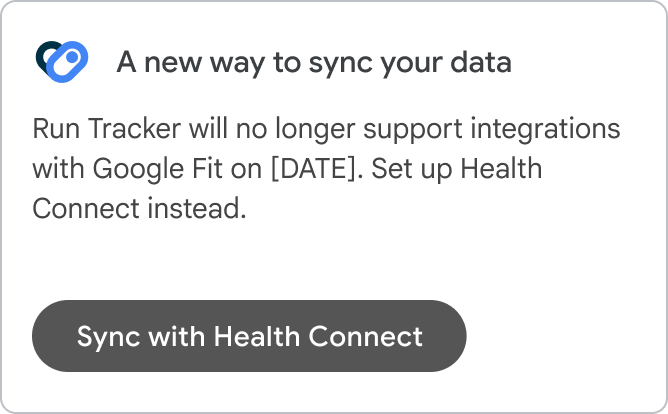
If your app UI includes a way for users to connect to Google Fit (or if your app is included on the list of Works with Google Fit apps), you can continue to maintain your Fit app integration for current users.
We will keep this section updated with information on when to deprecate your Fit app integration, and what your best options are for maintaining your user experience. In the meantime, you can connect with us.
| checkDo this | closeDon't do this |
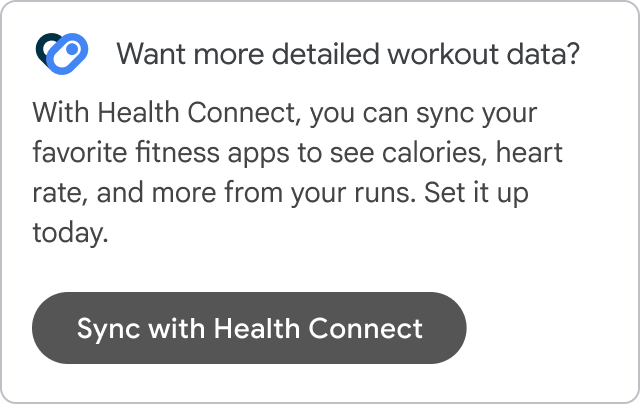
| Offer Health Connect or the Google Health API as a new option in your app.
Focus on user benefits like richer data and insights, privacy, and security.
|
Ask users to disconnect from Google Fit.
|
New users of your app
To offer a similar experience to new users of your app, we recommend building an integration with Health Connect or the Google Health API.
Health Connect offers access to new data sources and types to provide a richer experience for users, with data stored securely on-device. The Google Health API provides a web-centric platform for Fitbit and Google device data.
| checkDo this | closeDon't do this |
| Include Health Connect or the Google Health API in your app's setup flow. | Offer Fit as an app that users can connect to once Health Connect is available. |