

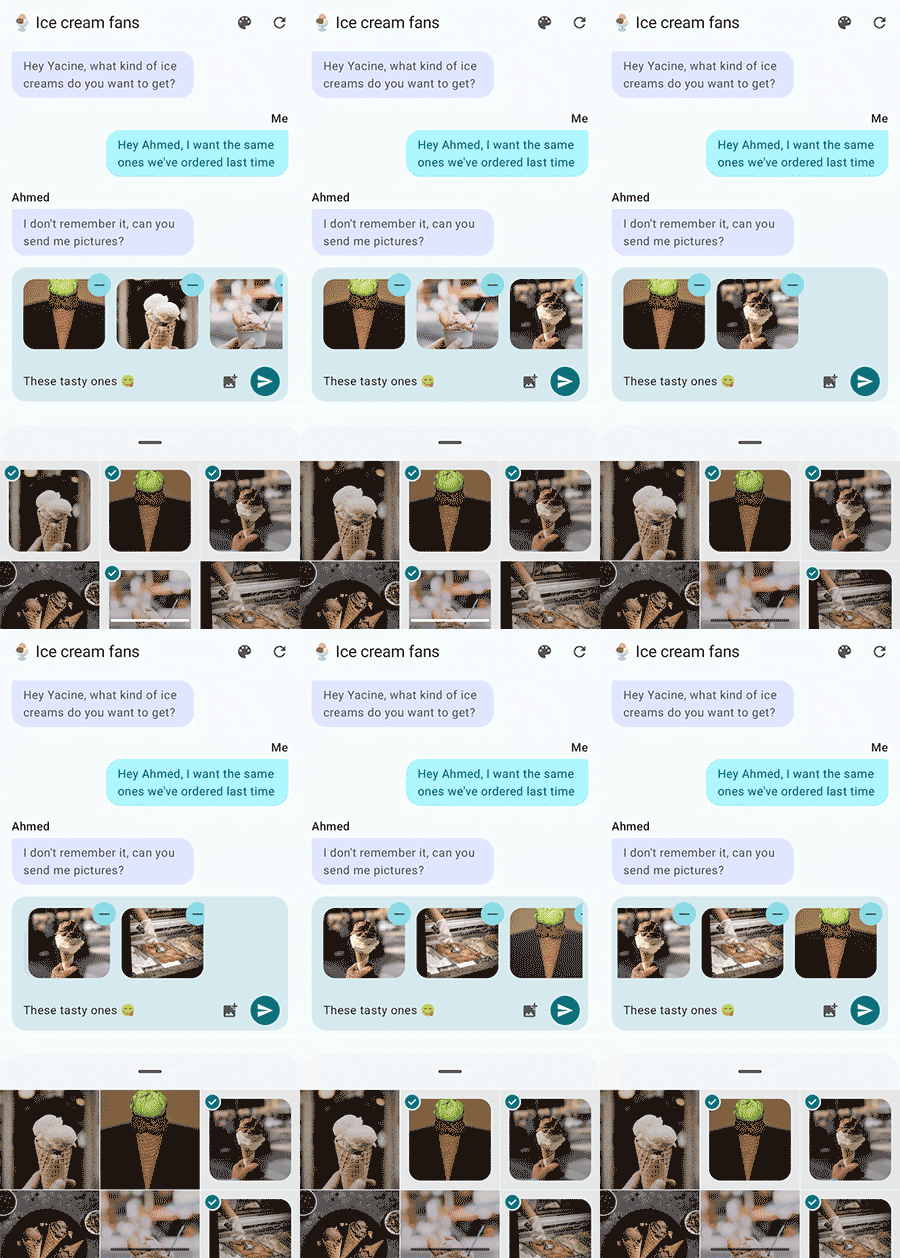
嵌入式相片挑選工具是另一種相片挑選體驗,可直接在應用程式的使用者介面中互動。與傳統相片挑選工具相比,這項工具提供更強大的整合和自訂選項。由於它是使用 setChildSurfacePackage 方法在 SurfaceView 上算繪,因此會維持與非嵌入版本相同的安全性和隱私權功能。
有了內嵌相片挑選工具,使用者可以持續從裝置和雲端相片庫選取相片和影片,而不會失去用戶端應用程式的焦點。用戶端應用程式會保持啟用狀態,其活動處於恢復狀態,並可即時回應使用者選取項目。
嵌入式相片挑選工具提供更流暢的 UI 整合,但由於是在特殊 SurfaceView 上算繪,因此仍保有與標準相片挑選工具相同的安全性和隱私權功能。
適用裝置
搭載 Android 14 (API 級別 34) 且 SDK 擴充功能版本 15 以上的裝置,支援嵌入式相片挑選工具。
不符合這些功能的裝置,可以透過 Google Play 服務使用傳統相片挑選工具或向後移植版本。
Jetpack 程式庫依附元件
將 Jetpack 相片挑選工具程式庫加入為依附元件:
// For apps using Jetpack Compose
implementation("androidx.photopicker:photopicker-compose:1.0.0-alpha01")

// For apps using Views
implementation("androidx.photopicker:photopicker:1.0.0-alpha01")
您可以使用 Jetpack Compose (建議) 或檢視畫面,整合內嵌相片挑選工具。
Jetpack Compose 整合
EmbeddedPhotoPicker 可組合函式提供一種機制,可直接在 Jetpack Compose 畫面中加入嵌入式相片挑選工具 UI。這個可組合函式會建立 SurfaceView,用於託管嵌入式相片挑選工具 UI。它會管理與 EmbeddedPhotoPicker 服務的連線、處理使用者互動,並將所選媒體 URI 傳送至呼叫應用程式,只需幾個參數即可運作:
val coroutineScope = rememberCoroutineScope()
val pickerState = rememberEmbeddedPhotoPickerState()

EmbeddedPhotoPicker(
    state = pickerState,
    onUriPermissionGranted = { uris ->
        _attachments.value += uris
    },
    onUriPermissionRevoked = { uris ->
        _attachments.value -= uris
    },
    onSelectionComplete = {
        // Hide the embedded photo picker as the user is done with the
        // photo/video selection
    },
)
連續選取
使用者可以透過內嵌相片挑選工具,持續選取及取消選取相片庫中的項目,而不必關閉挑選工具。在應用程式 UI 中選取和取消選取的項目會與相片挑選工具同步,提供流暢的使用者體驗。
使用 pickerState 的 deselectUri 或 deselectUris 方法取消選取 Uri,通知嵌入式挑選器使用者已從應用程式 UI 取消選取項目。您必須手動更新應用程式 UI 狀態,因為呼叫這些方法時,應用程式不會透過 onUriPermissionRevoked 回呼收到任何新撤銷 URI 的通知。
coroutineScope.launch {
    // Signal unselected media to the picker
    pickerState.deselectUris(uris)
    // Remove them from the list of selected media to be reflected in the app's UI
    _attachments.value -= uris
}
自訂相片挑選工具
嵌入式相片挑選工具提供個人化選項,可讓您自訂外觀和行為,更妥善地整合應用程式設計和使用者體驗。
強調色
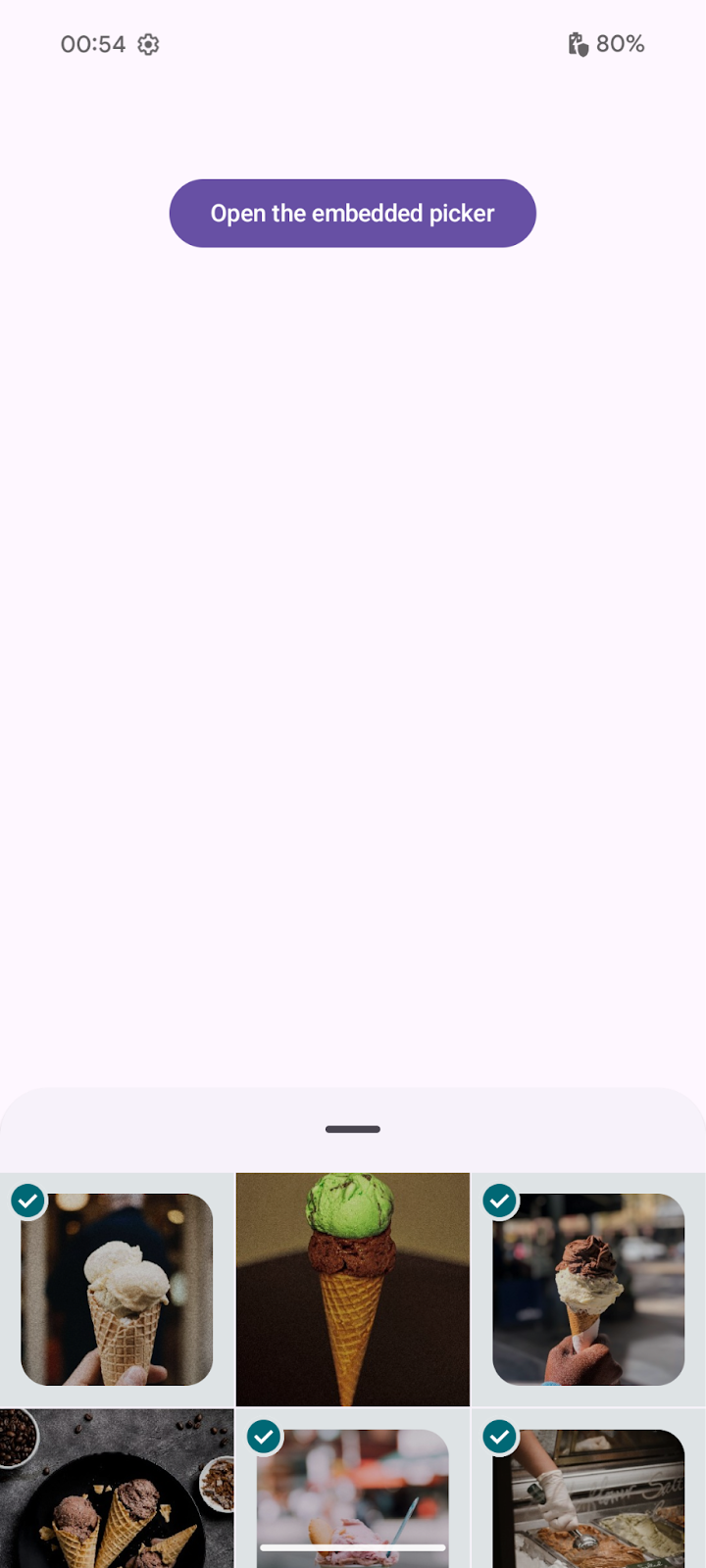
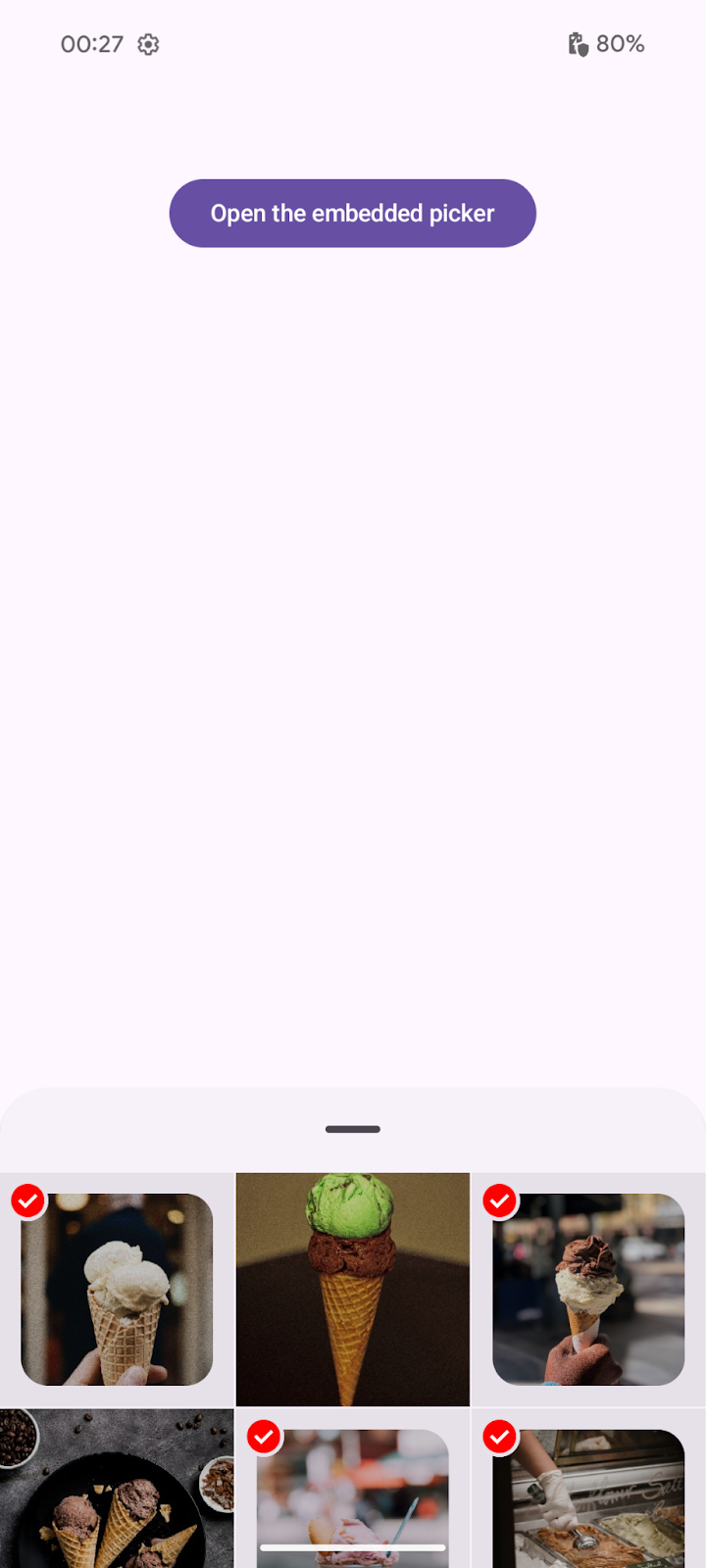
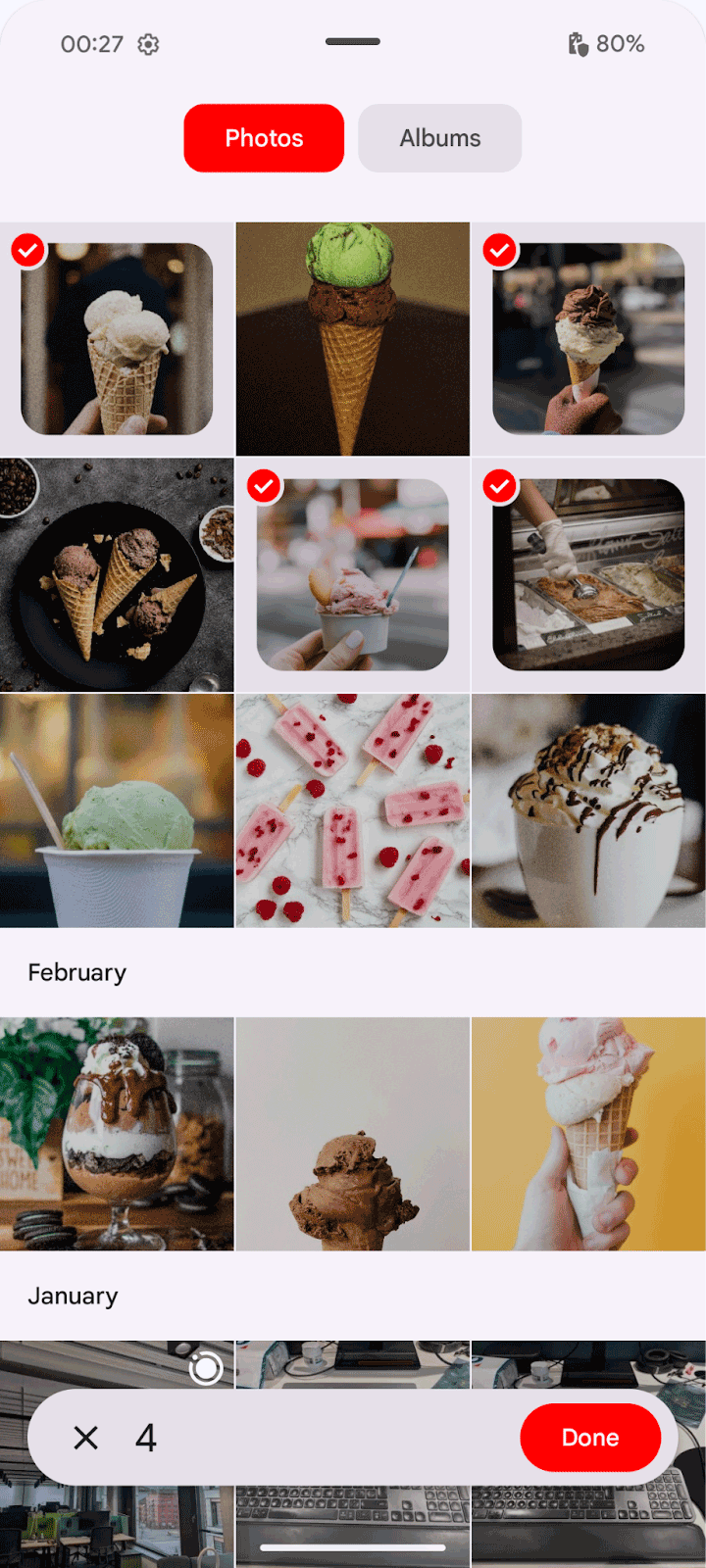
根據預設,嵌入式相片挑選工具會依賴系統提供的動態色彩,使用者可在裝置主題選項中,為各個應用程式設定這些色彩。強調色會用於相片挑選工具中的各種主要元素。所有其他顏色都會根據 Android Material 指南設定。如要自訂挑選器的強調色,請定義 EmbeddedPhotoPickerFeatureInfo 選項:
val info = EmbeddedPhotoPickerFeatureInfo.Builder().setAccentColor(0xFF0000).build()

EmbeddedPhotoPicker(
    embeddedPhotoPickerFeatureInfo = info,
    ...
)
| 未設定強調色 | 使用強調色 (最高用量) | 使用強調色 (展開) |
|---|---|---|
|
|
|
強調色必須完全不透明。系統會忽略 Alpha (透明度) 值。僅允許亮度值介於 0.05 至 0.9 之間的顏色。
尺寸
根據預設,嵌入式挑選器的大小不受限制,但您可以指定修飾符來限制大小:
EmbeddedPhotoPicker(
    modifier = Modifier.height(500.dp),
    ...
)
| 無限制 (展開) | 500 dp 限制 (展開) |
|---|---|
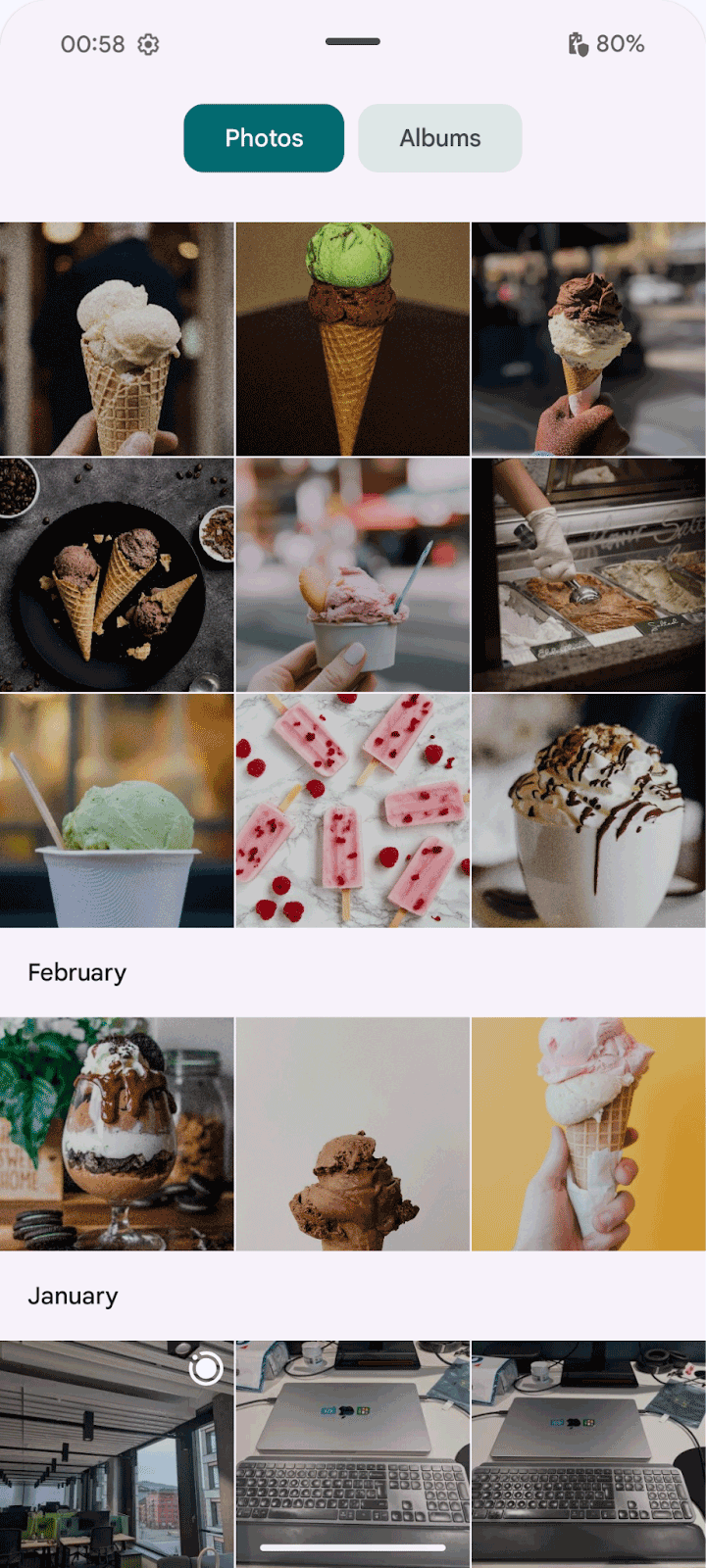
|
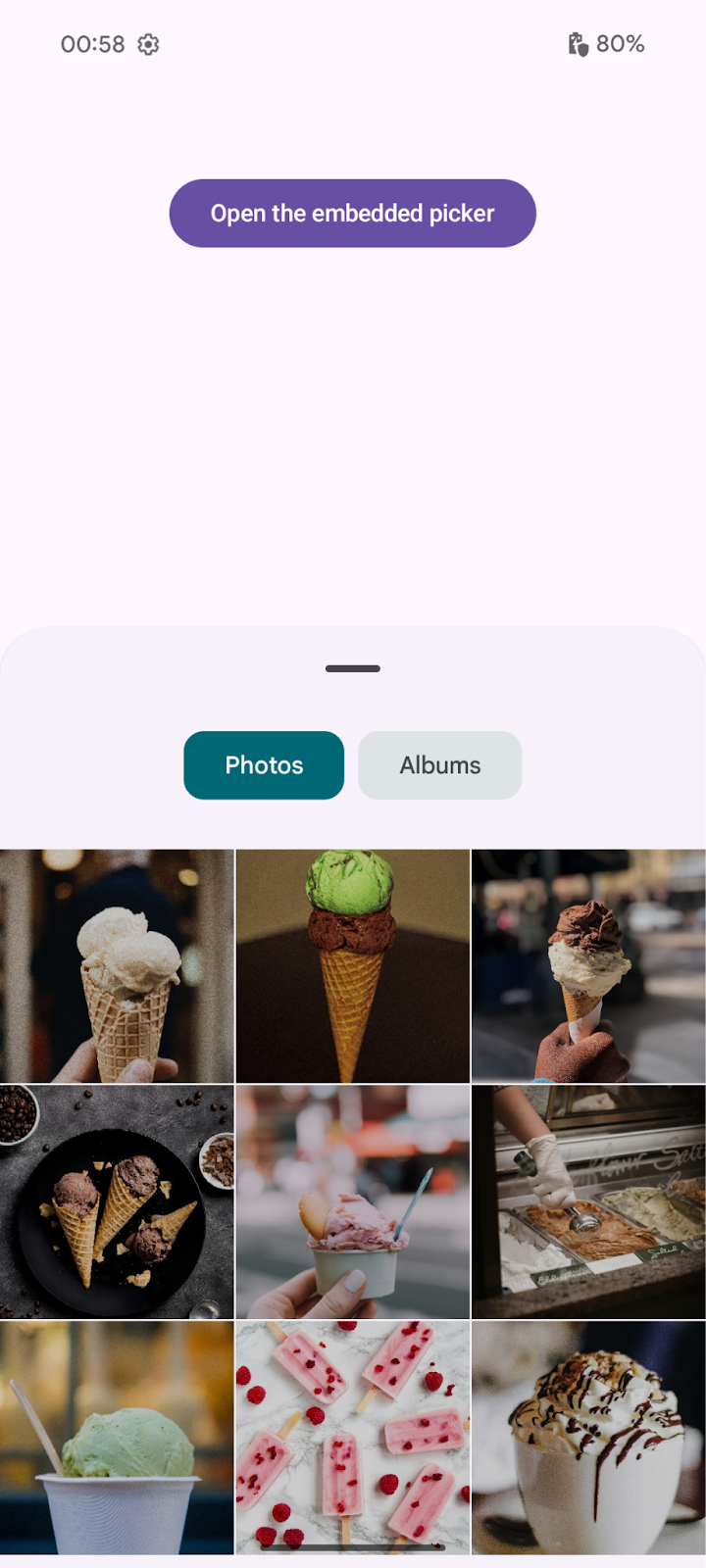
|
Views 整合
如要使用檢視畫面新增嵌入式相片挑選工具,請在版面配置檔案中新增項目:
<view class="androidx.photopicker.EmbeddedPhotoPickerView"
    android:id="@+id/photopicker"
    android:layout_width="match_parent"
    android:layout_height="match_parent" />
接著,在活動的 onCreate 方法中初始化相片挑選工具,步驟如下:
- 從版面配置取得
EmbeddedPhotoPickerView的參照 - 新增
EmbeddedPhotoPickerStateChangeListener以處理選取事件 - 使用
EmbeddedPhotoPickerFeatureInfo設定相片挑選工具,包括任何自訂設定,例如強調色
// Keep track of the selected media
private val _attachments = MutableStateFlow(emptyList<Uri>())
val attachments = _attachments.asStateFlow()

private lateinit var picker: EmbeddedPhotoPickerView
private var openSession: EmbeddedPhotoPickerSession? = null

val pickerListener = object : EmbeddedPhotoPickerStateChangeListener {
    override fun onSessionOpened(newSession: EmbeddedPhotoPickerSession) {
        // Keep reference to the session to notify the embedded picker of user
        // interactions on the calling app
        openSession = newSession
    }

    override fun onSessionError(throwable: Throwable) {}

    override fun onUriPermissionGranted(uris: List<Uri>) {
        // Add newly selected media to our tracked list
        _attachments += uris
    }

    override fun onUriPermissionRevoked(uris: List<Uri>) {
        // Remove newly unselected media from our tracked list
        _attachments -= uris
    }

    override fun onSelectionComplete() {
        // Hide the embedded photo picker as the user is done with the
        // photo/video selection
    }
}

override fun onCreate(savedInstanceState: Bundle?) {
    super.onCreate(savedInstanceState)

    setContentView(R.layout.main_view)
    picker = findViewById(R.id.photopicker)

    // Attach the embedded picker event listener to update the app's UI
    picker.addEmbeddedPhotoPickerStateChangeListener(pickerListener)

    // Customize embedded picker's features: accent color, max selectable items,
    // pre-selected URIs, filter out mime types
    picker.setEmbeddedPhotoPickerFeatureInfo(
        // Set a custom accent color
        EmbeddedPhotoPickerFeatureInfo.Builder().setAccentColor(0xFF0000).build()
    )
}
您可以呼叫 EmbeddedPhotoPickerSession 的不同方法,與內嵌挑選器互動:
// Notify the embedded picker of a configuration change
openSession.notifyConfigurationChanged(newConfig)

// Update the embedded picker to expand following a user interaction
openSession.notifyPhotoPickerExpanded(/* expanded: */ true)

// Resize the embedded picker
openSession.notifyResized(/* width: */ 512, /* height: */ 256)

// Show/hide the embedded picker (after a form has been submitted)
openSession.notifyVisibilityChanged(/* visible: */ false)

// Remove unselected media from the embedded picker after they have been
// unselected from the host app's UI
openSession.requestRevokeUriPermission(removedUris)