

مانند نسخههای قبلی، اندروید ۱۶ شامل تغییرات رفتاری است که ممکن است بر برنامه شما تأثیر بگذارد. تغییرات رفتاری زیر منحصراً برای برنامههایی اعمال میشود که اندروید ۱۶ یا بالاتر را هدف قرار میدهند. اگر برنامه شما اندروید ۱۶ یا بالاتر را هدف قرار میدهد، باید برنامه خود را برای پشتیبانی از این رفتارها، در صورت لزوم، اصلاح کنید.
حتماً فهرست تغییرات رفتاری که صرف نظر از targetSdkVersion برنامه شما، بر همه برنامههای در حال اجرا در اندروید ۱۶ تأثیر میگذارند را نیز بررسی کنید.
تجربه کاربری و رابط کاربری سیستم
اندروید ۱۶ (سطح API ۳۶) شامل تغییرات زیر است که برای ایجاد یک تجربه کاربری سازگارتر و شهودیتر در نظر گرفته شدهاند.
کنار رفتن گزینه انصراف از لبه تا لبه
Android 15 enforced edge-to-edge for apps targeting Android 15 (API
level 35), but your app could opt-out by setting
R.attr#windowOptOutEdgeToEdgeEnforcement to true. For apps
targeting Android 16 (API level 36),
R.attr#windowOptOutEdgeToEdgeEnforcement is deprecated and disabled, and your
app can't opt-out of going edge-to-edge.
- If your app targets Android 16 (API level 36) and is running on an
Android 15 device,
R.attr#windowOptOutEdgeToEdgeEnforcementcontinues to work. - If your app targets Android 16 (API level 36) and is running on an
Android 16 device,
R.attr#windowOptOutEdgeToEdgeEnforcementis disabled.
For testing in Android 16, ensure your app supports edge-to-edge and
remove any use of R.attr#windowOptOutEdgeToEdgeEnforcement so that your app
also supports edge-to-edge on an Android 15 device. To support edge-to-edge,
see the Compose and Views guidance.
مهاجرت یا انصراف برای بازگشت پیشبینیکننده الزامی است
For apps targeting Android 16 (API level 36) or higher and running on an
Android 16 or higher device, the predictive back system animations
(back-to-home, cross-task, and cross-activity) are enabled by default.
Additionally, onBackPressed is not called and
KeyEvent.KEYCODE_BACK is not dispatched anymore.
If your app intercepts the back event and you haven't migrated to predictive
back yet, update your app to use supported back navigation APIs, or
temporarily opt out by setting the
android:enableOnBackInvokedCallback attribute to false in the
<application> or <activity> tag of your app's AndroidManifest.xml file.
APIهای فونت Elegant منسوخ و غیرفعال شدند
Apps targeting Android 15 (API level 35) have the
elegantTextHeight
TextView attribute set to true by
default, replacing the compact font with one that is much more readable. You
could override this by setting the elegantTextHeight attribute to false.
Android 16 deprecates the
elegantTextHeight attribute,
and the attribute will be ignored once your app targets Android 16. The "UI
fonts" controlled by these APIs are being discontinued, so you should adapt any
layouts to ensure consistent and future proof text rendering in Arabic, Lao,
Myanmar, Tamil, Gujarati, Kannada, Malayalam, Odia, Telugu or Thai.

elegantTextHeight behavior for apps targeting Android
14 (API level 34) and lower, or for apps targeting Android 15 (API level 35)
that overrode the default by setting the elegantTextHeight
attribute to false.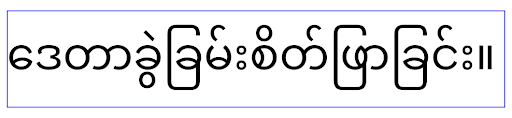
elegantTextHeight behavior for apps targeting Android
16 (API level 36), or for apps targeting Android 15 (API level 35) that didn't
override the default by setting the elegantTextHeight attribute
to false.عملکرد اصلی
اندروید ۱۶ (سطح API ۳۶) شامل تغییرات زیر است که قابلیتهای اصلی مختلف سیستم اندروید را اصلاح یا گسترش میدهد.
بهینهسازی زمانبندی کار با نرخ ثابت
在以 Android 16 为目标平台之前,如果 scheduleAtFixedRate 因不在有效的进程生命周期内而错过了任务执行,则当应用返回到有效的生命周期时,所有错过的执行会立即执行。
以 Android 16 为目标平台时,当应用返回到有效的生命周期时,系统会立即执行最多 1 次未执行的 scheduleAtFixedRate 执行。此行为变更预计会提升应用性能。在您的应用中测试此行为,检查您的应用是否受到影响。您还可以使用应用兼容性框架并启用 STPE_SKIP_MULTIPLE_MISSED_PERIODIC_TASKS 兼容性标志进行测试。
فاکتورهای شکل دستگاه
اندروید ۱۶ (سطح API ۳۶) شامل تغییرات زیر برای برنامهها هنگام نمایش در دستگاههای صفحه نمایش بزرگ است.
طرحبندیهای تطبیقی
With Android apps now running on a variety of devices (such as phones, tablets, foldables, desktops, cars, and TVs) and windowing modes on large screens (such as split screen and desktop windowing), developers should build Android apps that adapt to any screen and window size, regardless of device orientation. Paradigms like restricting orientation and resizability are too restrictive in today's multidevice world.
Ignore orientation, resizability, and aspect ratio restrictions
For apps targeting Android 16 (API level 36), orientation, resizability, and aspect ratio restrictions no longer apply on displays with smallest width >= 600dp. Apps fill the entire display window, regardless of aspect ratio or a user's preferred orientation, and pillarboxing isn't used.
This change introduces a new standard platform behavior. Android is moving toward a model where apps are expected to adapt to various orientations, display sizes, and aspect ratios. Restrictions like fixed orientation or limited resizability hinder app adaptability. Make your app adaptive to deliver the best possible user experience.
You can also test this behavior by using the
app compatibility framework and enabling the
UNIVERSAL_RESIZABLE_BY_DEFAULT compat flag.
Common breaking changes
Ignoring orientation, resizability, and aspect ratio restrictions might impact your app's UI on some devices, especially elements that were designed for small layouts locked in portrait orientation: for example, issues like stretched layouts and off-screen animations and components. Any assumptions about aspect ratio or orientation can cause visual issues with your app. Learn more about how to avoid them and improve your app's adaptive behaviour.
Allowing device rotation results in more activity re-creation, which can result in losing user state if not properly preserved. Learn how to correctly save UI state in Save UI states.
Implementation details
The following manifest attributes and runtime APIs are ignored across large screen devices in full-screen and multi-window modes:
screenOrientationresizableActivityminAspectRatiomaxAspectRatiosetRequestedOrientation()getRequestedOrientation()
The following values for screenOrientation, setRequestedOrientation(), and
getRequestedOrientation() are ignored:
portraitreversePortraitsensorPortraituserPortraitlandscapereverseLandscapesensorLandscapeuserLandscape
Regarding display resizability, android:resizeableActivity="false",
android:minAspectRatio, and android:maxAspectRatio have no effect.
For apps targeting Android 16 (API level 36), app orientation, resizability, and aspect ratio constraints are ignored on large screens by default. Every app that isn't fully ready can temporarily override this behavior by opting out, which results in the previous behavior of being placed in compatibility mode.
Exceptions
The Android 16 orientation, resizability, and aspect ratio restrictions don't apply in the following situations:
- Games (based on the
android:appCategoryflag) - Users explicitly opting in to the app's default behavior in aspect ratio settings of the device
- Screens that are smaller than
sw600dp
Opt out temporarily
To opt out a specific activity, declare the
PROPERTY_COMPAT_ALLOW_RESTRICTED_RESIZABILITY manifest property:
<activity ...>
  <property android:name="android.window.PROPERTY_COMPAT_ALLOW_RESTRICTED_RESIZABILITY" android:value="true" />
  ...
</activity>
If too many parts of your app aren't ready for Android 16, you can opt out completely by applying the same property at the application level:
<application ...>
  <property android:name="android.window.PROPERTY_COMPAT_ALLOW_RESTRICTED_RESIZABILITY" android:value="true" />
</application>
سلامت و تناسب اندام
اندروید ۱۶ (سطح API ۳۶) شامل تغییرات زیر در رابطه با دادههای سلامت و تناسب اندام است.
مجوزهای سلامت و تناسب اندام
For apps targeting Android 16 (API level 36) or higher,
BODY_SENSORS permissions use more granular permissions
under android.permissions.health, which Health Connect
also uses. As of Android 16, any API previously requiring BODY_SENSORS
or BODY_SENSORS_BACKGROUND requires the corresponding
android.permissions.health permission instead. This affects the following data
types, APIs, and foreground service types:
HEART_RATE_BPMfrom Health Services on Wear OSSensor.TYPE_HEART_RATEfrom Android Sensor ManagerheartRateAccuracyandheartRateBpmfromProtoLayouton Wear OSFOREGROUND_SERVICE_TYPE_HEALTHwhere the respectiveandroid.permission.healthpermission is needed in place ofBODY_SENSORS
If your app uses these APIs, it should request the respective granular permissions:
- For while-in-use monitoring of Heart Rate, SpO2, or Skin Temperature:
request the granular permission under
android.permissions.health, such asREAD_HEART_RATEinstead ofBODY_SENSORS. - For background sensor access: request
READ_HEALTH_DATA_IN_BACKGROUNDinstead ofBODY_SENSORS_BACKGROUND.
These permissions are the same as those that guard access to reading data from Health Connect, the Android datastore for health, fitness, and wellness data.
Mobile apps
Mobile apps migrating to use the READ_HEART_RATE and other granular
permissions must also declare an activity to display
the app's privacy policy. This is the same requirement as Health Connect.
اتصال
اندروید ۱۶ (سطح API ۳۶) شامل تغییرات زیر در پشته بلوتوث برای بهبود اتصال با دستگاههای جانبی است.
اهداف جدید برای مدیریت از دست دادن اوراق قرضه و تغییرات رمزگذاری
As part of the Improved bond loss handling, Android 16 also introduces 2 new intents to provide apps with greater awareness of bond loss and encryption changes.
Apps targeting Android 16 can now:
- Receive an
ACTION_KEY_MISSINGintent when remote bond loss is detected, allowing them to provide more informative user feedback and take appropriate actions. - Receive an
ACTION_ENCRYPTION_CHANGEintent whenever encryption status of the link changes. This includes encryption status change, encryption algorithm change, and encryption key size change. Apps must consider the bond restored if the link is successfully encrypted upon receivingACTION_ENCRYPTION_CHANGEintent later.
Adapting to varying OEM implementations
While Android 16 introduces these new intents, their implementation and broadcasting can vary across different device manufacturers (OEMs). To ensure your app provides a consistent and reliable experience across all devices, developers should design their bond loss handling to gracefully adapt to these potential variations.
We recommend the following app behaviors:
If the
ACTION_KEY_MISSINGintent is broadcast:The ACL (Asynchronous Connection-Less) link will be disconnected by the system, but the bond information for the device will be retained (as described here).
Your app should use this intent as the primary signal for bond loss detection and guiding the user to confirm the remote device is in range before initiating device forgetting or re-pairing.
If a device disconnects after
ACTION_KEY_MISSINGis received, your app should be cautious about reconnecting, as the device may no longer be bonded with the system.If the
ACTION_KEY_MISSINGintent is NOT broadcast:The ACL link will remain connected, and the bond information for the device will be removed by the system, same to behavior in Android 15.
In this scenario, your app should continue its existing bond loss handling mechanisms as in previous Android releases, to detect and manage bond loss events.
روش جدید برای حذف اتصال بلوتوث
All apps targeting Android 16 are now able to unpair bluetooth devices using a
public API in CompanionDeviceManager. If a companion device is
being managed as a CDM association, then the app can trigger
bluetooth bond removal by using the new removeBond(int) API
on the associated device. The app can monitor the bond state changes by
listening to the bluetooth device broadcast event
ACTION_BOND_STATE_CHANGED.
امنیت
اندروید ۱۶ (سطح API ۳۶) شامل تغییرات امنیتی زیر است.
قفل شدن نسخه MediaStore
对于以 Android 16 或更高版本为目标平台的应用,MediaStore#getVersion() 现在将是每个应用的唯一标识。这会从版本字符串中移除标识属性,以防止滥用和用于指纹识别技术。应用不应对此版本的格式做出任何假设。在使用此 API 时,应用应已处理版本变更,并且在大多数情况下无需更改其当前行为,除非开发者尝试推断超出此 API 预期范围的其他信息。
مقاصد امنتر
“更安全的 intent”功能是一项多阶段安全计划,旨在提高 Android 的 intent 解析机制的安全性。目标是在 intent 处理期间添加检查,并过滤不符合特定条件的 intent,从而保护应用免受恶意操作的侵害。
在 Android 15 中,该功能侧重于发送应用。现在,在 Android 16 中,控制权转移到了接收应用,开发者可以使用其应用清单选择启用严格的 intent 解析。
我们正在实施两项关键变更:
显式 intent 必须与目标组件的 intent 过滤器匹配:如果 intent 显式定位到某个组件,则应与该组件的 intent 过滤器匹配。
没有操作的 intent 无法匹配任何 intent 过滤器:未指定操作的 intent 不应解析为任何 intent 过滤器。
这些变更仅在涉及多个应用时适用,不会影响单个应用内的 intent 处理。
影响
这种选择启用性质意味着,开发者必须在应用清单中明确启用它,才能使其生效。 因此,此功能的影响将仅限于以下应用:
- 了解“更安全的 intent”功能及其优势。
- 主动选择在应用中采用更严格的 intent 处理实践。
这种选择性采用的方法可最大限度地降低破坏可能依赖于当前不太安全的 intent 解析行为的现有应用的风险。
虽然 Safer Intents 计划在 Android 16 中的初始影响可能有限,但其路线图旨在在未来的 Android 版本中产生更广泛的影响。我们计划最终将严格的意图解析设为默认行为。
通过使恶意应用更难利用 intent 解析机制中的漏洞,“更安全的 intent”功能有望显著提升 Android 生态系统的安全性。
不过,向选择退出和强制执行的过渡必须谨慎管理,以解决现有应用的潜在兼容性问题。
实现
开发者需要在应用清单中使用 intentMatchingFlags 属性明确启用更严格的 intent 匹配。以下示例展示了如何为整个应用选择启用该功能,但在接收器上停用/选择停用该功能:
<application android:intentMatchingFlags="enforceIntentFilter">
    <receiver android:name=".MyBroadcastReceiver" android:exported="true" android:intentMatchingFlags="none">
        <intent-filter>
            <action android:name="com.example.MY_CUSTOM_ACTION" />
        </intent-filter>
        <intent-filter>
            <action android:name="com.example.MY_ANOTHER_CUSTOM_ACTION" />
        </intent-filter>
    </receiver>
</application>
有关支持的标志的更多信息:
| 标志名称 | 说明 |
|---|---|
| enforceIntentFilter | 对传入的 intent 强制执行更严格的匹配 |
| 无 | 针对传入 intent 停用所有特殊匹配规则。指定多个标志时,系统会优先考虑“无”标志,以解决值冲突问题 |
| allowNullAction | 放宽匹配规则,以允许匹配没有操作的 intent。此标志应与“enforceIntentFilter”结合使用,以实现特定行为 |
测试和调试
在强制执行处于有效状态时,如果 intent 调用方已正确填充 intent,应用应能正常运行。
不过,被屏蔽的 intent 会触发警告日志消息(例如 "Intent does not match component's intent filter:" 和 "Access blocked:"),并带有标记 "PackageManager."。这表示存在可能会影响应用的潜在问题,需要引起注意。
Logcat 过滤条件:
tag=:PackageManager & (message:"Intent does not match component's intent filter:" | message: "Access blocked:")
فیلتر کردن فراخوانیهای سیستمی GPU
To harden the Mali GPU surface, Mali GPU IOCTLs that have been deprecated or are intended solely for GPU development have been blocked in production builds. Additionally, IOCTLs used for GPU profiling have been restricted to the shell process or debuggable applications. Refer to the SAC update for more details on the platform-level policy.
This change takes place on Pixel devices using the Mali GPU (Pixel 6-9). Arm
has provided official categorization of their IOCTLs in
Documentation/ioctl-categories.rst of their r54p2 release. This
list will continue to be maintained in future driver releases.
This change does not impact supported graphics APIs (including Vulkan and OpenGL), and is not expected to impact developers or existing applications. GPU profiling tools such as the Streamline Performance Analyzer and the Android GPU Inspector won't be affected.
Testing
If you see a SELinux denial similar to the following, it is likely your application has been impacted by this change:
06-30 10:47:18.617 20360 20360 W roidJUnitRunner: type=1400 audit(0.0:85): avc:  denied  { ioctl }
for  path="/dev/mali0" dev="tmpfs" ino=1188 ioctlcmd=0x8023
scontext=u:r:untrusted_app_25:s0:c512,c768 tcontext=u:object_r:gpu_device:s0 tclass=chr_file
permissive=0 app=com.google.android.selinux.pts
If your application needs to use blocked IOCTLs, please file a bug and assign it to android-partner-security@google.com.
FAQ
Does this policy change apply to all OEMs? This change will be opt-in, but available to any OEMs who would like to use this hardening method. Instructions for implementing the change can be found in the implementation documentation.
Is it mandatory to make changes in the OEM codebase to implement this, or does it come with a new AOSP release by default? The platform-level change will come with a new AOSP release by default. Vendors may opt-in to this change in their codebase if they would like to apply it.
Are SoCs responsible for keeping the IOCTL list up to date? For example, if my device uses an ARM Mali GPU, would I need to reach out to ARM for any of the changes? Individual SoCs must update their IOCTL lists per device upon driver release. For example, ARM will update their published IOCTL list upon driver updates. However, OEMs should make sure that they incorporate the updates in their SEPolicy, and add any selected custom IOCTLs to the lists as needed.
Does this change apply to all Pixel in-market devices automatically, or is a user action required to toggle something to apply this change? This change applies to all Pixel in-market devices using the Mali GPU (Pixel 6-9). No user action is required to apply this change.
Will use of this policy impact the performance of the kernel driver? This policy was tested on the Mali GPU using GFXBench, and no measurable change to GPU performance was observed.
Is it necessary for the IOCTL list to align with the current userspace and kernel driver versions? Yes, the list of allowed IOCTLs must be synchronized with the IOCTLs supported by both the userspace and kernel drivers. If the IOCTLs in the user space or kernel driver are updated, the SEPolicy IOCTL list must be updated to match.
ARM has categorized IOCTLs as 'restricted' / 'instrumentation', but we want to use some of them in production use-cases, and/or deny others. Individual OEMs/SoCs are responsible for deciding on how to categorize the IOCTLs they use, based on the configuration of their userspace Mali libraries. ARM's list can be used to help decide on these, but each OEM/SoC's use-case may be different.
حریم خصوصی
اندروید ۱۶ (سطح API ۳۶) شامل تغییرات حریم خصوصی زیر است.
مجوز شبکه محلی
Devices on the LAN can be accessed by any app that has the INTERNET permission.
This makes it easy for apps to connect to local devices but it also has privacy
implications such as forming a fingerprint of the user, and being a proxy for
location.
The Local Network Protections project aims to protect the user's privacy by gating access to the local network behind a new runtime permission.
Release plan
This change will be deployed between two releases, 25Q2 and 26Q2 respectively. It is imperative that developers follow this guidance for 25Q2 and share feedback because these protections will be enforced at a later Android release. Moreover, they will need to update scenarios which depend on implicit local network access by using the following guidance and prepare for user rejection and revocation of the new permission.
Impact
At the current stage, LNP is an opt-in feature which means only the apps that opt in will be affected. The goal of the opt-in phase is for app developers to understand which parts of their app depend on implicit local network access such that they can prepare to permission guard them for the next release.
Apps will be affected if they access the user's local network using:
- Direct or library use of raw sockets on local network addresses (e.g. mDNS or SSDP service discovery protocol)
- Use of framework level classes that access the local network (e.g. NsdManager)
Traffic to and from a local network address requires local network access permission. The following table lists some common cases:
| App Low Level Network Operation | Local Network Permission Required |
|---|---|
| Making an outgoing TCP connection | yes |
| Accepting incoming TCP connections | yes |
| Sending a UDP unicast, multicast, broadcast | yes |
| Receiving an incoming UDP unicast, multicast, broadcast | yes |
These restrictions are implemented deep in the networking stack, and thus they apply to all networking APIs. This includes sockets created in native or managed code, networking libraries like Cronet and OkHttp, and any APIs implemented on top of those. Trying to resolve services on the local network (i.e. those with a .local suffix) will require local network permission.
Exceptions to the rules above:
- If a device's DNS server is on a local network, traffic to or from it (at port 53) doesn't require local network access permission.
- Applications using Output Switcher as their in-app picker won't need local network permissions (more guidance to come in 2025Q4).
Developer Guidance (Opt-in)
To opt into local network restrictions, do the following:
- Flash the device to a build with 25Q2 Beta 3 or later.
- Install the app to be tested.
Toggle the Appcompat flag in adb:
adb shell am compat enable RESTRICT_LOCAL_NETWORK <package_name>Reboot The device
Now your app's access to the local network is restricted and any attempt to access the local network will lead to socket errors. If you are using APIs that perform local network operations outside of your app process (ex: NsdManager), they won't be impacted during the opt-in phase.
To restore access, you must grant your app permission to NEARBY_WIFI_DEVICES.
- Ensure the app declares the
NEARBY_WIFI_DEVICESpermission in its manifest. - Go to Settings > Apps > [Application Name] > Permissions > Nearby devices > Allow.
Now your app's access to the local network should be restored and all your scenarios should work as they did prior to opting the app in.
Once enforcement for local network protection begins, here is how the app network traffic will be impacted.
| Permission | Outbound LAN Request | Outbound/Inbound Internet Request | Inbound LAN Request |
|---|---|---|---|
| Granted | Works | Works | Works |
| Not Granted | Fails | Works | Fails |
Use the following command to toggle-off the App-Compat flag
adb shell am compat disable RESTRICT_LOCAL_NETWORK <package_name>
Errors
Errors arising from these restrictions will be returned to the calling socket whenever it invokes send or a send variant to a local network address.
Example errors:
sendto failed: EPERM (Operation not permitted)

sendto failed: ECONNABORTED (Operation not permitted)
Local Network Definition
A local network in this project refers to an IP network that utilizes a broadcast-capable network interface, such as Wi-Fi or Ethernet, but excludes cellular (WWAN) or VPN connections.
The following are considered local networks:
IPv4:
- 169.254.0.0/16 // Link Local
- 100.64.0.0/10 // CGNAT
- 10.0.0.0/8 // RFC1918
- 172.16.0.0/12 // RFC1918
- 192.168.0.0/16 // RFC1918
IPv6:
- Link-local
- Directly-connected routes
- Stub networks like Thread
- Multiple-subnets (TBD)
Additionally, both multicast addresses (224.0.0.0/4, ff00::/8) and the IPv4 broadcast address (255.255.255.255) are classified as local network addresses.
عکسهای متعلق به برنامه
هنگامی که برنامهای که SDK 36 یا بالاتر را در دستگاههای دارای Android 16 یا بالاتر هدف قرار میدهد، مجوزهای عکس و ویدیو را درخواست میکند، کاربرانی که انتخاب میکنند دسترسی به رسانه انتخابشده را محدود کنند، هر عکسی را که متعلق به برنامه از پیش انتخاب شده در انتخابگر عکس است، میبینند. کاربران می توانند هر یک از این موارد از پیش انتخاب شده را لغو انتخاب کنند، که دسترسی برنامه به آن عکس ها و ویدیوها را لغو می کند.