

כאשר משתמשים מקיימים אינטראקציה עם טלוויזיות, בדרך כלל מעדיפים לתת קלט מינימלי לפני צפייה בתוכן. תרחיש אידיאלי עבור משתמשי טלוויזיה רבים הוא: שבו, הדליקו וצפו. הצעדים הנדרשים ביותר להביא משתמשים לתוכן שהם נהנים ממנו הם בדרך כלל הנתיב שהם מעדיפים.
הערה: השתמשו בממשקי ה-API המתוארים כאן כדי להמליץ על אפליקציות הפועלות בגרסאות אנדרואיד עד גרסה 7.1 (רמת API 25) בלבד. כדי לספק המלצות לאפליקציות הפועלות באנדרואיד 8.0 (רמת API 26) ואילך, האפליקציה שלך חייבת להשתמש בערוצי המלצות.
מסגרת אנדרואיד מסייעת באינטראקציה עם מינימום קלט על ידי מתן שורת המלצות במסך הבית. המלצות תוכן מופיעות בשורה הראשונה במסך הבית של הטלוויזיה לאחר השימוש הראשון במכשיר. תרומת המלצות מקטלוג התוכן של האפליקציה שלך יכולה לעזור למשוך משתמשים בחזרה לאפליקציה שלך.
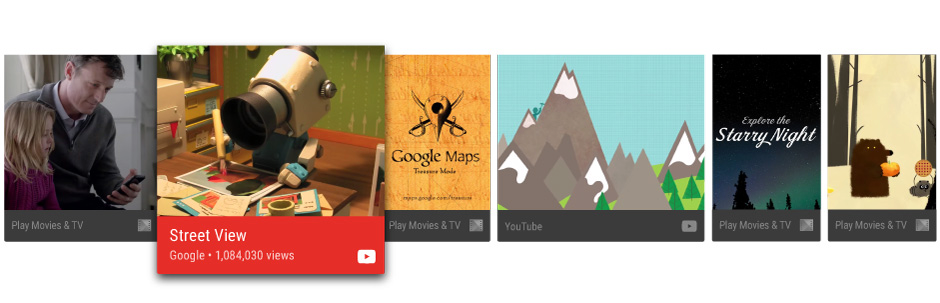
מדריך זה מלמד אותך כיצד ליצור המלצות ולספק אותן למערכת ההפעלה אנדרואיד כדי שמשתמשים יוכלו לגלות וליהנות מתוכן האפליקציה שלך. ראו גם את יישום הדוגמה ב אפליקציית Leanback לדוגמה.
שיטות עבודה מומלצות להמלצות
המלצות עוזרות למשתמשים למצוא במהירות את התוכן והאפליקציות שהם נהנים מהם. יצירת המלצות איכותיות ורלוונטיות למשתמשים היא גורם חשוב ביצירת חוויית משתמש מצוינת עם אפליקציית הטלוויזיה שלכם. מסיבה זו, עליכם לשקול היטב אילו ההמלצות אתם מציגים למשתמש ולנהל אותן בקפידה.
סוגי המלצות
כשאתם יוצרים המלצות, עליכם לקשר משתמשים חזרה לפעילויות צפייה שלא הושלמו או להציע פעילויות שמרחיבות זאת לתוכן קשור. הנה כמה סוגים ספציפיים של המלצות שכדאי לשקול:
- המלצות להמשך תוכן לפרק הבא כדי שמשתמשים יוכלו להמשיך לצפות בסדרה. לחלופין, השתמשו בהמלצות המשך עבור סרטים, תוכניות טלוויזיה או פודקאסטים שהושהו, כך שמשתמשים יוכלו לחזור לצפות בתוכן שהושהה בכמה לחיצות בלבד.
- המלצות לתוכן חדש, כמו למשל לפרק חדש בשידור ראשון, אם המשתמש סיים לצפות בסדרה אחרת. כמו כן, אם האפליקציה שלכם מאפשרת למשתמשים להירשם, לעקוב או לעקוב אחר תוכן, השתמשו בהמלצות תוכן חדשות עבור פריטים שלא נצפו ברשימת התוכן שעוקבים אחריהם.
- המלצות לתוכן קשור המבוססות על התנהגות הצפייה ההיסטורית של המשתמשים.
למידע נוסף על עיצוב כרטיסי המלצה לחוויית המשתמש הטובה ביותר, עיינו ב-שורת המלצות במפרט העיצוב של Android TV.
רענון ההמלצות
כשאתם מרעננים המלצות, אל תסירו אותן ותפרסמו אותן מחדש, כי פעולה זו תגרום להן להופיע בסוף שורת ההמלצות. לאחר שפריט תוכן, כמו סרט, הופעל, הסר אותו מההמלצות.
התאמה אישית של ההמלצות
ניתן להתאים אישית כרטיסי המלצה כדי להעביר מידע מיתוג, על ידי הגדרת רכיבי ממשק משתמש כגון תמונת החזית והרקע של הכרטיס, צבע, סמל אפליקציה, כותרת וכותרת משנה. למידע נוסף, עיינו בשורת ההמלצות במפרט העיצוב של Android TV.
המלצות קבוצתיות
באפשרותך לקבץ המלצות לפי מקור ההמלצה, באופן אופציונלי. לדוגמה, האפליקציה שלך עשויה לספק שתי קבוצות של המלצות: המלצות לתוכן שהמשתמש מנוי אליו, והמלצות לתוכן טרנדי חדש שהמשתמש אולי לא מודע אליו.
המערכת מדרגת ומסדרת המלצות עבור כל קבוצה בנפרד בעת יצירה או עדכון של שורת ההמלצות. על ידי מתן מידע קבוצתי עבור ההמלצות שלך, תוכל להבטיח שההמלצות שלך לא יסודרו תחת המלצות לא קשורות.
השתמש ב-NotificationCompat.Builder.setGroup() כדי להגדיר את מחרוזת המפתח של הקבוצה של המלצה. לדוגמה, כדי לסמן המלצה כשייכת לקבוצה המכילה תוכן חדש וטרנדי, ניתן להתקשר ל-setGroup("trending").
צור שירות המלצות
המלצות תוכן נוצרות תוך עיבוד ברקע. כדי שהאפליקציה שלך תתרום להמלצות, צור שירות שמוסיף מעת לעת רישומים מקטלוג האפליקציה שלך לרשימת ההמלצות של המערכת.
דוגמת הקוד הבאה ממחישה כיצד להרחיב את IntentService כדי ליצור שירות המלצות עבור האפליקציה שלך:
Kotlin
class UpdateRecommendationsService : IntentService("RecommendationService") {
    override protected fun onHandleIntent(intent: Intent) {
        Log.d(TAG, "Updating recommendation cards")
        val recommendations = VideoProvider.getMovieList()
        if (recommendations == null) return

        var count = 0

        try {
            val builder = RecommendationBuilder()
                    .setContext(applicationContext)
                    .setSmallIcon(R.drawable.videos_by_google_icon)

            for (entry in recommendations.entrySet()) {
                for (movie in entry.getValue()) {
                    Log.d(TAG, "Recommendation - " + movie.getTitle())

                    builder.setBackground(movie.getCardImageUrl())
                            .setId(count + 1)
                            .setPriority(MAX_RECOMMENDATIONS - count)
                            .setTitle(movie.getTitle())
                            .setDescription(getString(R.string.popular_header))
                            .setImage(movie.getCardImageUrl())
                            .setIntent(buildPendingIntent(movie))
                            .build()
                    if (++count >= MAX_RECOMMENDATIONS) {
                        break
                    }
                }
                if (++count >= MAX_RECOMMENDATIONS) {
                    break
                }
            }
        } catch (e: IOException) {
            Log.e(TAG, "Unable to update recommendation", e)
        }
    }

    private fun buildPendingIntent(movie: Movie): PendingIntent {
        val detailsIntent = Intent(this, DetailsActivity::class.java)
        detailsIntent.putExtra("Movie", movie)

        val stackBuilder = TaskStackBuilder.create(this)
        stackBuilder.addParentStack(DetailsActivity::class.java)
        stackBuilder.addNextIntent(detailsIntent)

        // Ensure a unique PendingIntents, otherwise all
        // recommendations end up with the same PendingIntent
        detailsIntent.setAction(movie.getId().toString())

        val intent = stackBuilder.getPendingIntent(0, PendingIntent.FLAG_UPDATE_CURRENT)
        return intent
    }

    companion object {
        private val TAG = "UpdateRecommendationsService"
        private val MAX_RECOMMENDATIONS = 3
    }
}
Java
public class UpdateRecommendationsService extends IntentService {
    private static final String TAG = "UpdateRecommendationsService";
    private static final int MAX_RECOMMENDATIONS = 3;

    public UpdateRecommendationsService() {
        super("RecommendationService");
    }

    @Override
    protected void onHandleIntent(Intent intent) {
        Log.d(TAG, "Updating recommendation cards");
        HashMap<String, List<Movie>> recommendations = VideoProvider.getMovieList();
        if (recommendations == null) return;

        int count = 0;

        try {
            RecommendationBuilder builder = new RecommendationBuilder()
                    .setContext(getApplicationContext())
                    .setSmallIcon(R.drawable.videos_by_google_icon);

            for (Map.Entry<String, List<Movie>> entry : recommendations.entrySet()) {
                for (Movie movie : entry.getValue()) {
                    Log.d(TAG, "Recommendation - " + movie.getTitle());

                    builder.setBackground(movie.getCardImageUrl())
                            .setId(count + 1)
                            .setPriority(MAX_RECOMMENDATIONS - count)
                            .setTitle(movie.getTitle())
                            .setDescription(getString(R.string.popular_header))
                            .setImage(movie.getCardImageUrl())
                            .setIntent(buildPendingIntent(movie))
                            .build();

                    if (++count >= MAX_RECOMMENDATIONS) {
                        break;
                    }
                }
                if (++count >= MAX_RECOMMENDATIONS) {
                    break;
                }
            }
        } catch (IOException e) {
            Log.e(TAG, "Unable to update recommendation", e);
        }
    }

    private PendingIntent buildPendingIntent(Movie movie) {
        Intent detailsIntent = new Intent(this, DetailsActivity.class);
        detailsIntent.putExtra("Movie", movie);

        TaskStackBuilder stackBuilder = TaskStackBuilder.create(this);
        stackBuilder.addParentStack(DetailsActivity.class);
        stackBuilder.addNextIntent(detailsIntent);
        // Ensure a unique PendingIntents, otherwise all
        // recommendations end up with the same PendingIntent
        detailsIntent.setAction(Long.toString(movie.getId()));

        PendingIntent intent = stackBuilder.getPendingIntent(0, PendingIntent.FLAG_UPDATE_CURRENT);
        return intent;
    }
}
כדי שהמערכת תזהה את השירות הזה ותפעיל אותו, צריך לרשום אותו באמצעות קובץ מניפסט של אפליקציה. קטע הקוד הבא ממחיש איך להגדיר את המחלקה הזו כשירות:
<manifest ... >
  <application ... >
    ...

    <service
            android:name="com.example.android.tvleanback.UpdateRecommendationsService"
            android:enabled="true" />
  </application>
</manifest>
יצירת המלצות
אחרי ששירות ההמלצות מתחיל לפעול, הוא צריך ליצור המלצות ולהעביר אותן למסגרת Android. המסגרת מקבלת את ההמלצות כאובייקטים מסוג Notification שמשתמשים בתבנית ספציפית ומסומנים בקטגוריה ספציפית.
הגדרת הערכים
כדי להגדיר את ערכי רכיבי ממשק המשתמש בכרטיס ההמלצה, יוצרים מחלקה של Builder שפועלת לפי תבנית ה-Builder שמתוארת בהמשך. קודם כל, מגדירים את הערכים של הרכיבים בכרטיס ההמלצה.
Kotlin
class RecommendationBuilder {
    ...

    fun setTitle(title: String): RecommendationBuilder {
        this.title = title
        return this
    }

    fun setDescription(description: String): RecommendationBuilder {
        this.description = description
        return this
    }

    fun setImage(uri: String): RecommendationBuilder {
        imageUri = uri
        return this
    }

    fun setBackground(uri: String): RecommendationBuilder {
        backgroundUri = uri
        return this
    }

...
Java
public class RecommendationBuilder {
    ...

    public RecommendationBuilder setTitle(String title) {
            this.title = title;
            return this;
        }

        public RecommendationBuilder setDescription(String description) {
            this.description = description;
            return this;
        }

        public RecommendationBuilder setImage(String uri) {
            imageUri = uri;
            return this;
        }

        public RecommendationBuilder setBackground(String uri) {
            backgroundUri = uri;
            return this;
        }
...
יצירת ההתראה
אחרי שמגדירים את הערכים, יוצרים את ההתראה, מקצים את הערכים ממחלקת ה-builder להתראה ומפעילים את NotificationCompat.Builder.build().
בנוסף, חשוב להתקשר אל
setLocalOnly()
כדי שההתראה NotificationCompat.BigPictureStyle לא תופיע במכשירים אחרים.
בדוגמת הקוד הבאה מוסבר איך ליצור המלצה.
Kotlin
class RecommendationBuilder {
    ...

    @Throws(IOException::class)
    fun build(): Notification {
        ...

        val notification = NotificationCompat.BigPictureStyle(
        NotificationCompat.Builder(context)
                .setContentTitle(title)
                .setContentText(description)
                .setPriority(priority)
                .setLocalOnly(true)
                .setOngoing(true)
                .setColor(context.resources.getColor(R.color.fastlane_background))
                .setCategory(Notification.CATEGORY_RECOMMENDATION)
                .setLargeIcon(image)
                .setSmallIcon(smallIcon)
                .setContentIntent(intent)
                .setExtras(extras))
                .build()

        return notification
    }
}
Java
public class RecommendationBuilder {
    ...

    public Notification build() throws IOException {
        ...

        Notification notification = new NotificationCompat.BigPictureStyle(
                new NotificationCompat.Builder(context)
                        .setContentTitle(title)
                        .setContentText(description)
                        .setPriority(priority)
                        .setLocalOnly(true)
                        .setOngoing(true)
                        .setColor(context.getResources().getColor(R.color.fastlane_background))
                        .setCategory(Notification.CATEGORY_RECOMMENDATION)
                        .setLargeIcon(image)
                        .setSmallIcon(smallIcon)
                        .setContentIntent(intent)
                        .setExtras(extras))
                .build();

        return notification;
    }
}
הפעלת שירות ההמלצות
שירות ההמלצות של האפליקציה צריך לפעול באופן תקופתי כדי ליצור המלצות עדכניות. כדי להפעיל את השירות, יוצרים מחלקה שמפעילה טיימר ומפעילה אותו במרווחי זמן קבועים. בדוגמת הקוד הבאה מורחבת המחלקה BroadcastReceiver כדי להפעיל ביצוע תקופתי של שירות המלצות כל חצי שעה:
Kotlin
class BootupActivity : BroadcastReceiver() {
    override fun onReceive(context: Context, intent: Intent) {
        Log.d(TAG, "BootupActivity initiated")
        if (intent.action.endsWith(Intent.ACTION_BOOT_COMPLETED)) {
            scheduleRecommendationUpdate(context)
        }
    }

    private fun scheduleRecommendationUpdate(context: Context) {
        Log.d(TAG, "Scheduling recommendations update")
        val alarmManager = context.getSystemService(Context.ALARM_SERVICE) as AlarmManager
        val recommendationIntent = Intent(context, UpdateRecommendationsService::class.java)
        val alarmIntent = PendingIntent.getService(context, 0, recommendationIntent, 0)
        alarmManager.setInexactRepeating(AlarmManager.ELAPSED_REALTIME_WAKEUP,
                INITIAL_DELAY,
                AlarmManager.INTERVAL_HALF_HOUR,
                alarmIntent
        )
    }

    companion object {
        private val TAG = "BootupActivity"
        private val INITIAL_DELAY:Long = 5000
    }
}
Java
public class BootupActivity extends BroadcastReceiver {
    private static final String TAG = "BootupActivity";

    private static final long INITIAL_DELAY = 5000;

    @Override
    public void onReceive(Context context, Intent intent) {
        Log.d(TAG, "BootupActivity initiated");
        if (intent.getAction().endsWith(Intent.ACTION_BOOT_COMPLETED)) {
            scheduleRecommendationUpdate(context);
        }
    }

    private void scheduleRecommendationUpdate(Context context) {
        Log.d(TAG, "Scheduling recommendations update");

        AlarmManager alarmManager = (AlarmManager) context.getSystemService(Context.ALARM_SERVICE);
        Intent recommendationIntent = new Intent(context, UpdateRecommendationsService.class);
        PendingIntent alarmIntent = PendingIntent.getService(context, 0, recommendationIntent, 0);

        alarmManager.setInexactRepeating(AlarmManager.ELAPSED_REALTIME_WAKEUP,
                INITIAL_DELAY,
                AlarmManager.INTERVAL_HALF_HOUR,
                alarmIntent);
    }
}
יישום זה של המחלקה BroadcastReceiver חייב לפעול לאחר הפעלת מכשיר הטלוויזיה שבו היא מותקנת. כדי להשיג זאת, רשום מחלקה זו במניפסט האפליקציה שלך באמצעות מסנן אינטנס שמקשיב להשלמת תהליך אתחול המכשיר. קוד הדוגמה הבא מדגים כיצד להוסיף תצורה זו למניפסט:
<manifest ... >
  <application ... >
    <receiver android:name="com.example.android.tvleanback.BootupActivity"
              android:enabled="true"
              android:exported="false">
      <intent-filter>
        <action android:name="android.intent.action.BOOT_COMPLETED"/>
      </intent-filter>
    </receiver>
  </application>
</manifest>
חשוב: קבלת הודעה על השלמת האתחול דורשת מהאפליקציה שלך לבקש את הרשאת RECEIVE_BOOT_COMPLETED.
למידע נוסף, ראה ACTION_BOOT_COMPLETED.
בשיטת onHandleIntent() של מחלקת שירות ההמלצות שלך, פרסם את ההמלצה למנהל באופן הבא:
Kotlin
val notification = notificationBuilder.build()
notificationManager.notify(id, notification)
Java
Notification notification = notificationBuilder.build();
notificationManager.notify(id, notification);