The following are new features in Android Studio Quail 2.
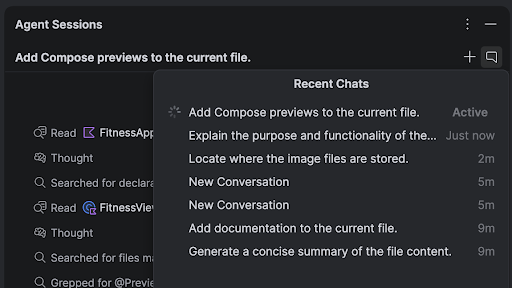
Parallel conversations
You can run multiple conversations in Agent Mode in parallel, enabling you to multitask more effectively inside the IDE. For example, you can kick off a long-running task like generating tests in one conversation, use a second conversation to plan a new feature, and use a third conversation to draft documentation—all at the same time.
LeakCanary in Android Studio Profiler
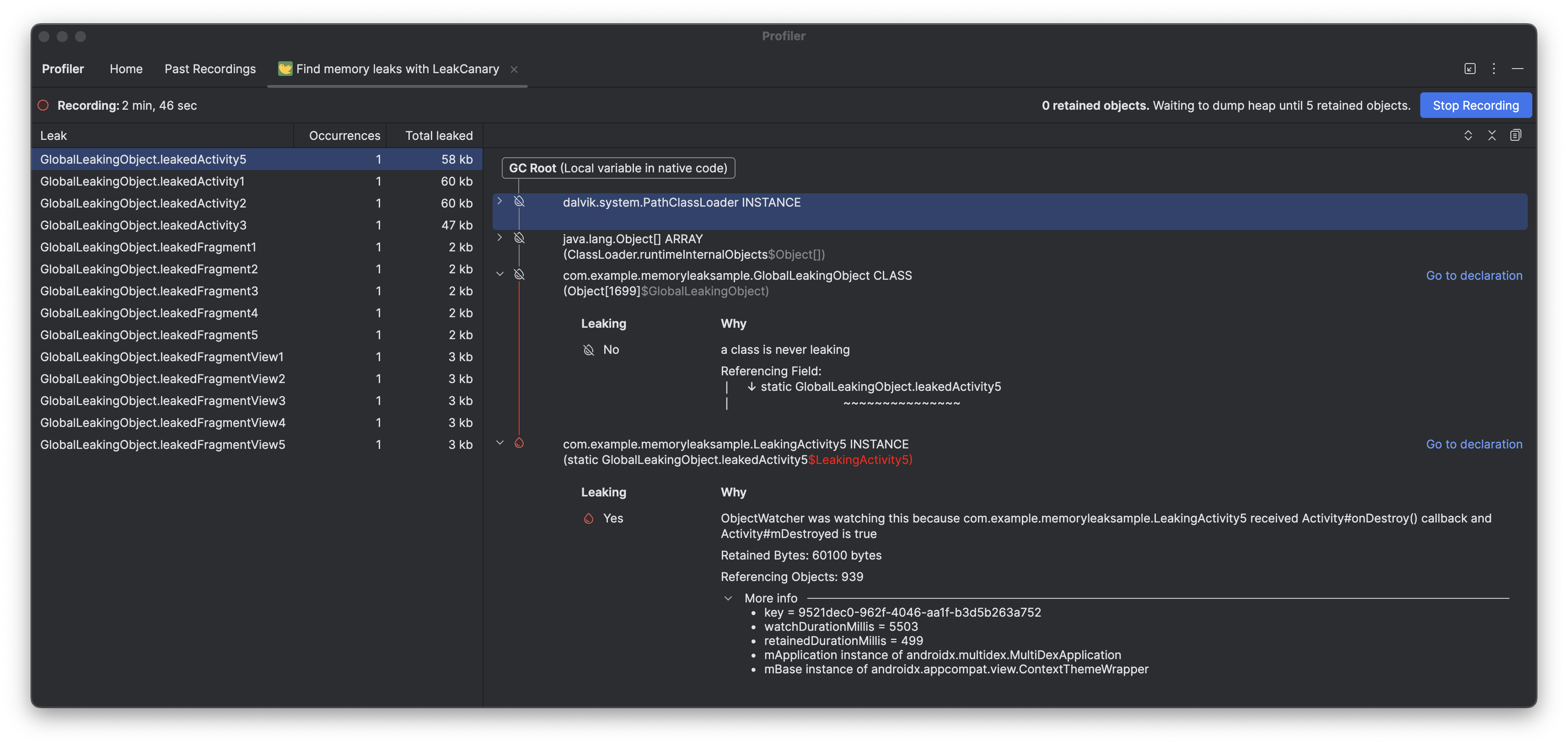
Android Studio Quail 2 includes a LeakCanary integration directly in the Android Studio Profiler as a dedicated task.
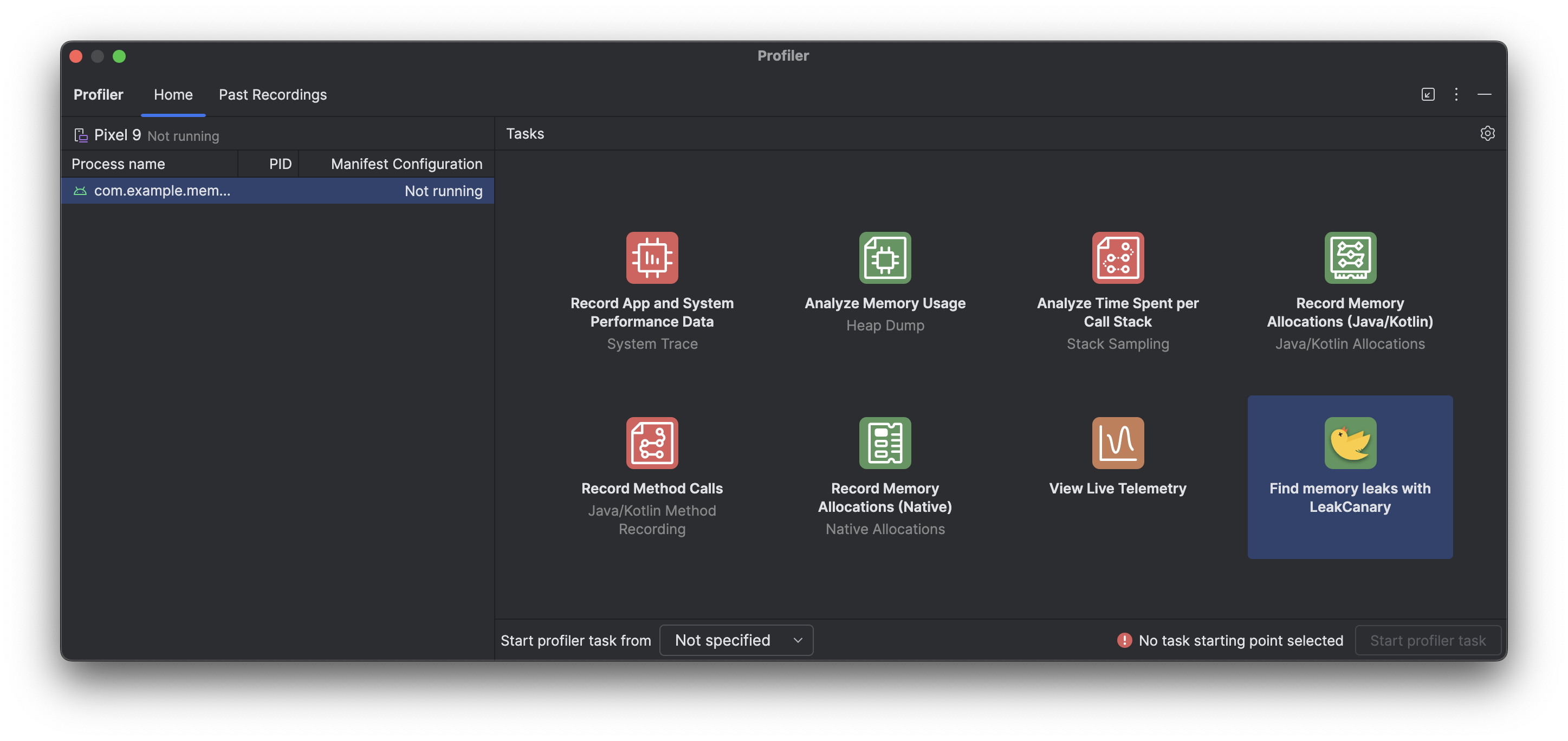
The LeakCanary profiler task in Android Studio actively moves the memory leak analysis from your device to your development machine, resulting in a significant performance boost during the leak analysis phase as compared to on-device leak analysis.
Additionally, the leak analysis is now contextualized within the IDE and fully integrated with your source code, providing features like Jump to Source and other helpful code connections that drastically reduce the friction and time required to investigate and fix memory leaks. You can also copy the entire leak analysis for further processing with Gemini. This can dramatically increase your productivity and improve your workflow during the development phase.