The following are the release notes for Android Studio Quail 4.
New features
The following are new features in Android Studio Quail 4.
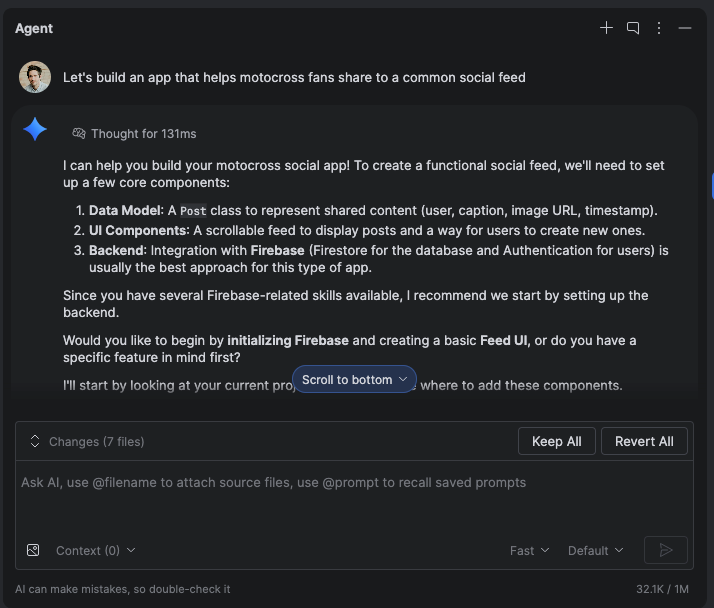
Build full-stack apps with Firebase in Agent Mode
Firebase services like Authentication and Cloud Firestore databases can be enabled and configured directly in Agent Mode in Android Studio using Firebase agent skills. The agent can help you complete Firebase integration and configure backend services. This integration lets you build robust, full-stack Android apps without leaving your IDE.
Recomposition state reads in the Layout Inspector
We've made it easier to diagnose high
recomposition counts by adding
Recomposition state reads to the Layout
Inspector. Available in Panda 3 canary, this
feature helps you identify the state variables that triggered a recomposition by
providing a detailed list of state reads performed during that cycle. To use
this feature, use compose.ui:ui:1.10.0 (BOM 2025.12.01) or higher.
Key capabilities
Key capabilities of this feature are the following:
- Trace state invalidation: When a node recomposes, click the recomposition count link in the Component Tree to open the State Inspection panel.
- Detailed stack traces: Identify the specific state variables being read,
including as counts, lists, or elevation values. Check which ones were
invalidated(changed) to trigger the update. - Navigate recomposition history: Use the navigation arrows in the panel header to cycle through the state data of previous recompositions for a specific node.
- AI-powered explanations: Click Explain with AI in the State Inspection panel to display a natural-language breakdown of the state read and why it caused a recomposition.
Get started
Follow these steps to try out these features.
- Open the Layout Inspector.
Right-click the recomposition column and do one of the following:
- For all nodes, select Observe Recomposition > Observe All.
- For specific notes, select Recomposition > Observe Node.
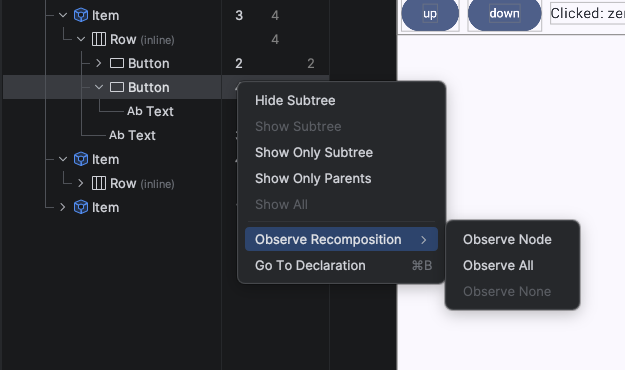
Turn on recomposition state reads in the Layout Inspector Interact with your app. When recompositions occur, click the blue count links in the Component Tree to inspect the state.
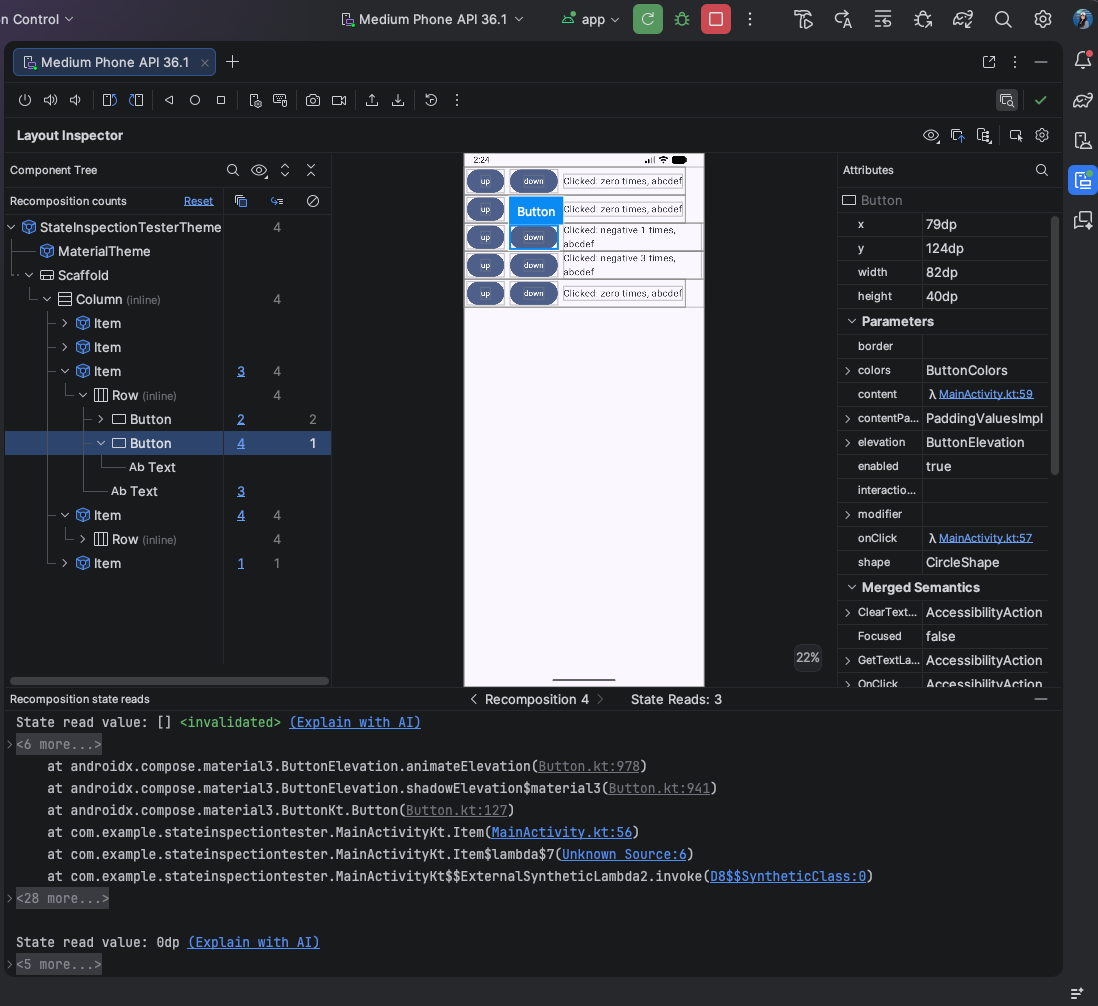
Sample result of recomposition state reads in the Layout Inspector Click "Explain with AI" to get a breakdown analysis of why recomposition happened.
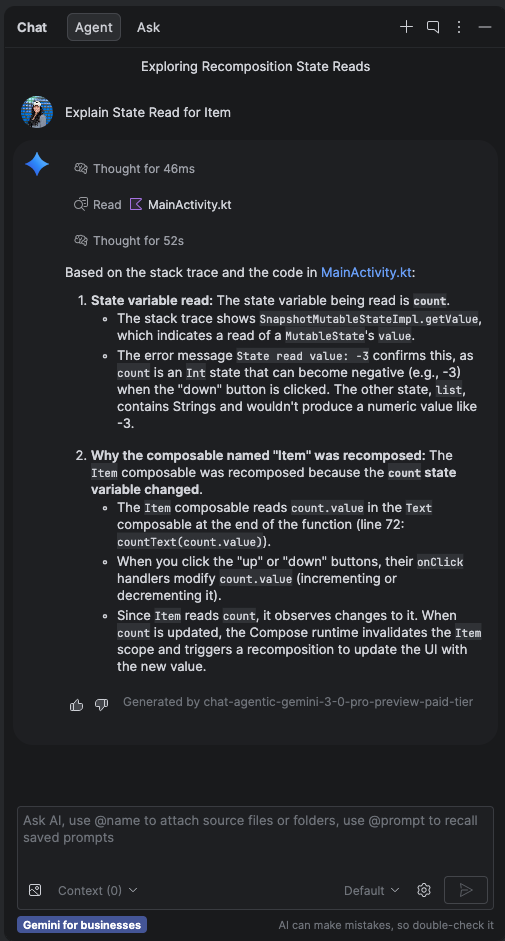
Sample result of "Explain with AI" for state reads in Layout Inspector
Gemma 4 integration
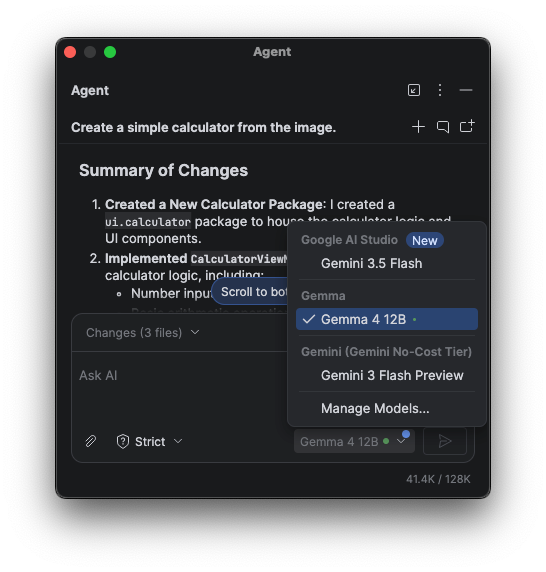
You can now run the powerful Gemma 4 model directly within Android Studio for AI code assistance without relying on a third-party provider to host it. Powered natively by an integrated runtime, this local execution gives you full control to design new features, refactor code, and debug issues—all completely on-device. To download Gemma models, go to Settings > Tools > AI > Model Providers > Gemma.
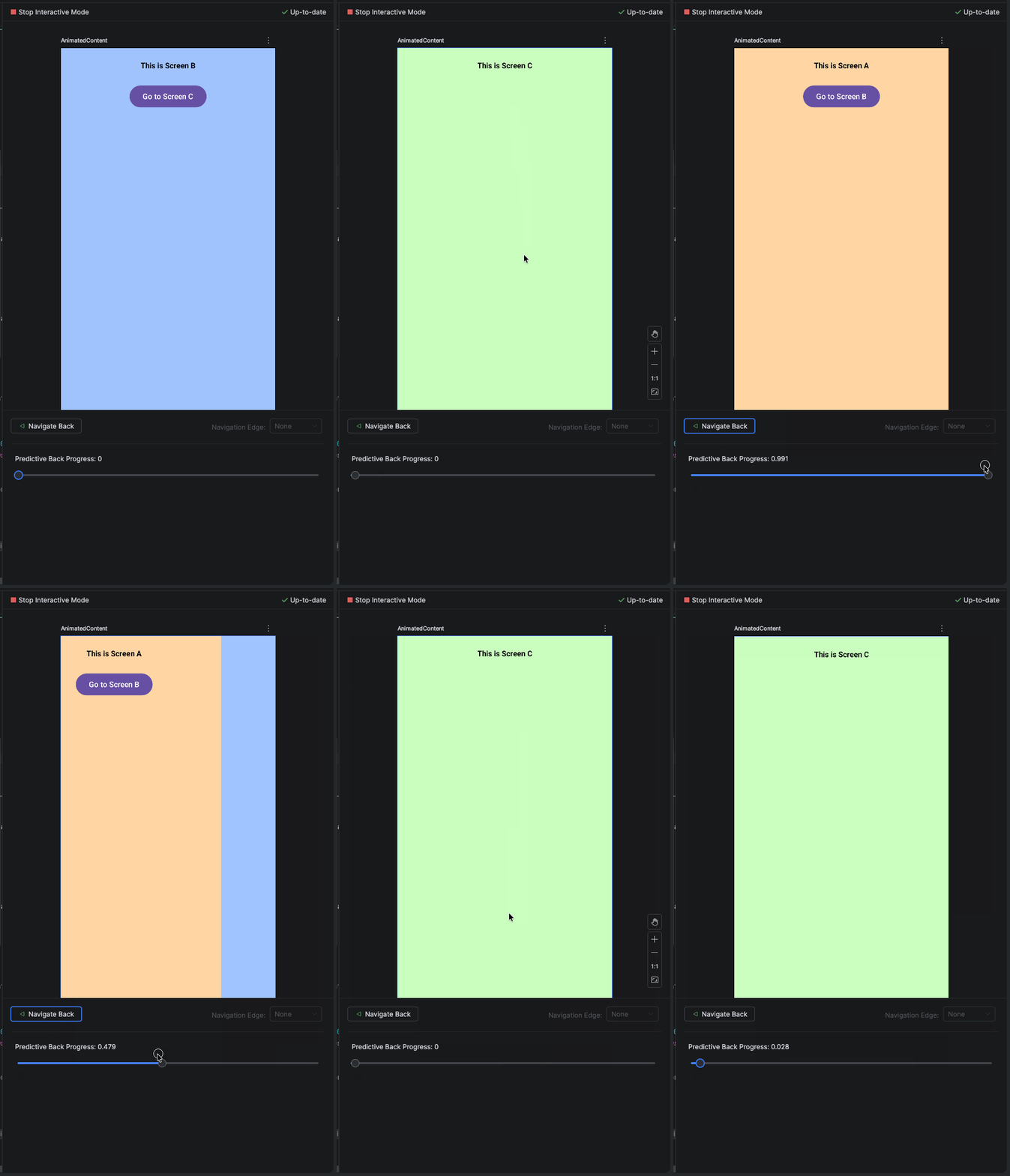
Simulate back navigation transitions with Interactive Preview
Quail 4 introduces dedicated controls—including a Navigate Back action and a Predictive Back Progress slider—allowing you to test back and forward animations without deploying to a physical device or emulator. You can now step through custom transition states and verify predictive back gesture behavior directly within Compose Interactive Preview.