
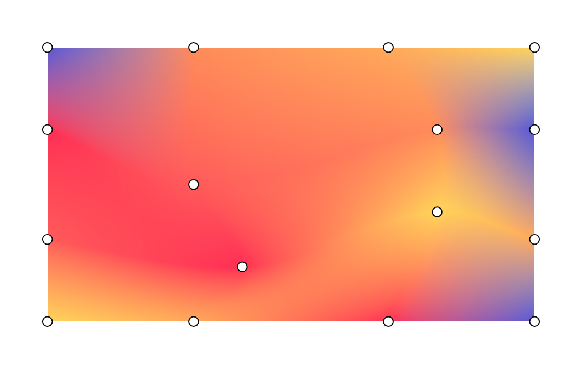
Mesh gradients create complex, multi-directional color transitions using a 2D grid of patches. Unlike linear or radial gradients, mesh gradients smoothly interpolate colors across a grid. Use mesh gradients to create fluid and organic aesthetic elements in your user interface.
Key concepts
To construct a mesh gradient, define the grid dimensions, the vertices, and the color transitions between points:
- Grid dimensions: The mesh is split into patches along the vertical and
horizontal axes. A grid of
rowsandcolumnscontains (rows+1)×(columns+1) vertices. For example, a 1×1 mesh consists of 4 vertices forming one patch. - Normalized coordinates: All vertex positions use a normalized coordinate
system where
(0f, 0f)represents the top-left and(1f, 1f)represents the bottom-right of the drawing bounds. - Bezier control points (tangents): Each vertex contains up to four
optional bezier control points. These tangents specify the edge curvature
between neighboring vertices. If you use
Offset.Unspecified, Compose infers the tangents to ensure smooth transitions across patches. Each grid cell formed by 4 vertices along with their control points generates a bezier patch. - Color interpolation: The framework calculates colors between the main
vertices. Set
hasBicubicColortotruefor Catmull-Rom interpolation for smoother color shifts, orfalsefor bilinear interpolation.
Draw with MeshGradientPainter
In Jetpack Compose, use
MeshGradientPainter
to render a mesh gradient. MeshGradientPainter draws on the canvas.
Create a simple mesh gradient
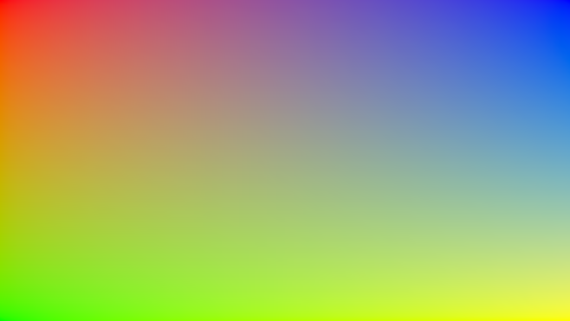
To create a basic static mesh gradient, initialize a MeshGradientPainter by
specifying its dimensions and using the setVertex function inside the
configuration block to position your corner points and assign them colors.
val rows = 1 val columns = 1 val gradientPainter = remember { MeshGradientPainter(rows, columns) { // Parameters: row, column, position, color setVertex(0, 0, Offset(0f, 0f), Color.Red) // Top-Left setVertex(0, 1, Offset(1f, 0f), Color.Blue) // Top-Right setVertex(1, 0, Offset(0f, 1f), Color.Green) // Bottom-Left setVertex(1, 1, Offset(1f, 1f), Color.Yellow) // Bottom-Right } } Box( modifier = modifier .aspectRatio(16/9f) .fillMaxWidth() .paint(gradientPainter) )
Use specific Bezier control points
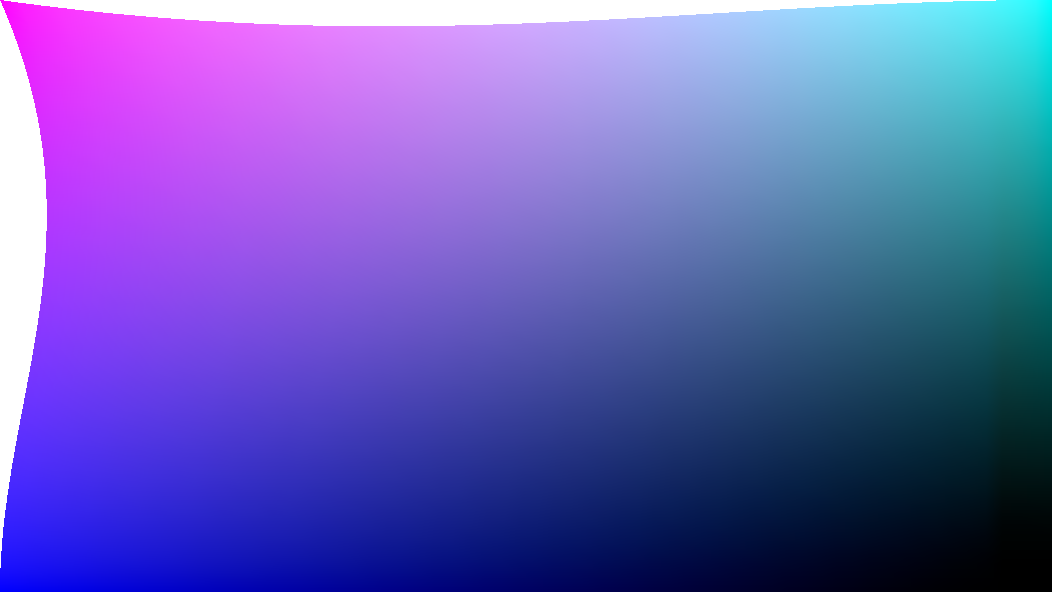
By default, the mesh generator handles complex calculations to keep the grid transitions smooth. However, you can explicitly customize tangents on any single vertex if you want to selectively push, pull, or sharply pinch certain color sections.
Control offsets are measured relative to the host vertex's position.
val customTangentPainter = remember { MeshGradientPainter(rows = 1, columns = 1) { // Tweak the top-left vertex to curve outwards to the right and bottom setVertex( row = 0, column = 0, position = Offset(0f, 0f), color = Color.Magenta, rightControlPoint = Offset(0.4f, 0.1f), bottomControlPoint = Offset(0.1f, 0.4f) ) // Other points can remain unspecified to use default inferred fallback tangents setVertex(0, 1, Offset(1f, 0f), Color.Cyan) setVertex(1, 0, Offset(0f, 1f), Color.Blue) setVertex(1, 1, Offset(1f, 1f), Color.Black) } } Box( modifier = modifier .aspectRatio(16/9f) .fillMaxWidth() .paint(customTangentPainter) )
Create advanced grids
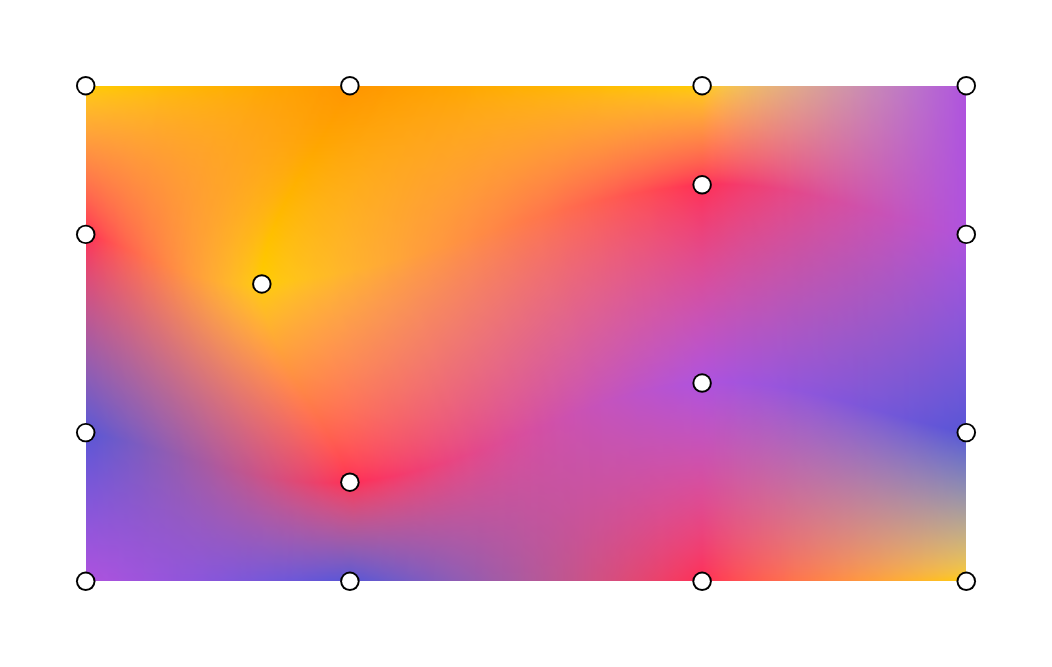
This example shows a 3 by 3 grid, meaning there are 16 points that need to be specified, with the middle points set with different offsets:
val points = remember { listOf( Offset(0.0f, 0.0f), Offset(0.3f, 0.0f), Offset(0.7f, 0.0f), Offset(1.0f, 0.0f), Offset(0.0f, 0.3f), Offset(0.2f, 0.4f), Offset(0.7f, 0.2f), Offset(1.0f, 0.3f), Offset(0.0f, 0.7f), Offset(0.3f, 0.8f), Offset(0.7f, 0.6f), Offset(1.0f, 0.7f), Offset(0.0f, 1.0f), Offset(0.3f, 1.0f), Offset(0.7f, 1.0f), Offset(1.0f, 1.0f) ) } val gradientPainter = remember { MeshGradientPainter(rows = 3, columns = 3) { // Row 0 setVertex(0, 0, points[0], yellow) setVertex(0, 1, points[1], orange) setVertex(0, 2, points[2], yellow) setVertex(0, 3, points[3], purple) // Row 1 setVertex(1, 0, points[4], pink) setVertex(1, 1, points[5], yellow) setVertex(1, 2, points[6], pink) setVertex(1, 3, points[7], purple) // Row 2 setVertex(2, 0, points[8], indigo) setVertex(2, 1, points[9], pink) setVertex(2, 2, points[10], purple) setVertex(2, 3, points[11], indigo) // Row 3 setVertex(3, 0, points[12], purple) setVertex(3, 1, points[13], indigo) setVertex(3, 2, points[14], pink) setVertex(3, 3, points[15], yellow) } } Box( modifier = modifier.padding(32.dp) .aspectRatio(16 / 9f) .fillMaxWidth() .paint(gradientPainter) // ... )
Animate a mesh gradient
Because the block lambda parameter of MeshGradientPainter is executed within
a DrawScope, it can read and observe mutable state. You can animate positions
or colors over time without re-allocating shaders or bitmaps.
val infiniteTransition = rememberInfiniteTransition(label = "meshMovement") val animatedOffset by infiniteTransition.animateFloat( initialValue = -0.1f, targetValue = 0.1f, animationSpec = infiniteRepeatable( animation = tween(2500, easing = LinearEasing), repeatMode = RepeatMode.Reverse ), label = "offset" ) val coral = Color(255, 90, 90) val peach = Color(255, 139, 90) val amber = Color(255, 169, 90) val sunshine = Color(255, 212, 90) val indigo = Color(0xFF5856D6) val pink = Color(0xFFFF2D55) val gradientPainter = remember { MeshGradientPainter(rows = 3, columns = 3) { // Row 0 setVertex(0, 0, Offset(0.0f, 0.0f), indigo) setVertex(0, 1, Offset(0.3f, 0.0f), peach) setVertex(0, 2, Offset(0.7f, 0.0f), amber) setVertex(0, 3, Offset(1.0f, 0.0f), sunshine) // Row 1 setVertex(1, 0, Offset(0.0f, 0.3f), pink) setVertex(1, 1, Offset(0.2f, 0.4f) + Offset(animatedOffset, animatedOffset), coral) setVertex(1, 2, Offset(0.7f, 0.2f) + Offset(animatedOffset, animatedOffset), peach) setVertex(1, 3, Offset(1.0f, 0.3f), indigo) // Row 2 setVertex(2, 0, Offset(0.0f, 0.7f), coral) setVertex(2, 1, Offset(0.3f, 0.8f) + Offset(animatedOffset, 0f), pink) setVertex(2, 2, Offset(0.7f, 0.6f) + Offset(animatedOffset, 0f), sunshine) setVertex(2, 3, Offset(1.0f, 0.7f), amber) // Row 3 setVertex(3, 0, Offset(0.0f, 1.0f), sunshine) setVertex(3, 1, Offset(0.3f, 1.0f), amber) setVertex(3, 2, Offset(0.7f, 1.0f), pink) setVertex(3, 3, Offset(1.0f, 1.0f), indigo) } } Box( modifier = modifier.padding(32.dp) .safeContentPadding() .aspectRatio(16 / 9f) .fillMaxWidth() .paint(gradientPainter) )