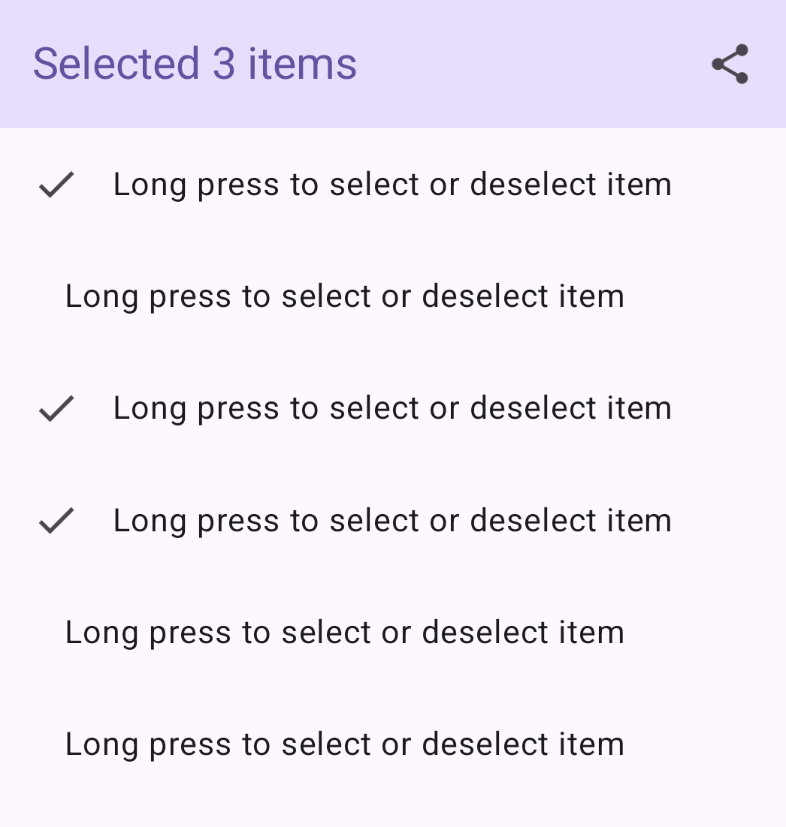
本指南介绍了如何在 Compose 中创建动态顶部应用栏,以便在从列表中选择项目时更改其选项。您可以根据选择状态修改顶部应用栏的标题和操作。
实现动态顶部应用栏行为
此代码为顶部应用栏定义了一个可组合函数,该函数会根据所选项而变化:
@Composable fun AppBarSelectionActions( selectedItems: Set<Int>, modifier: Modifier = Modifier, ) { val hasSelection = selectedItems.isNotEmpty() val topBarText = if (hasSelection) { "Selected ${selectedItems.size} items" } else { "List of items" } TopAppBar( title = { Text(topBarText) }, colors = TopAppBarDefaults.topAppBarColors( containerColor = MaterialTheme.colorScheme.primaryContainer, titleContentColor = MaterialTheme.colorScheme.primary, ), actions = { if (hasSelection) { IconButton(onClick = { /* click action */ }) { Icon( imageVector = Icons.Filled.Share, contentDescription = "Share items" ) } } }, modifier = modifier ) }
代码要点
AppBarSelectionActions接受所选项索引的Set。topBarText会根据您是否选择任何内容而发生变化。- 当您选择内容时,
TopAppBar中会显示说明所选内容数量的文本。 - 如果您未选择任何内容,
topBarText将为“内容列表”。
- 当您选择内容时,
actions块用于定义在顶部应用栏中显示的操作。如果hasSelection为 true,则文本后会显示一个共享图标。IconButton的onClicklambda 会在您点击图标时处理分享操作。
结果

将可选择列表集成到动态顶部应用栏中
以下示例演示了如何向动态顶部应用栏添加可选择列表:
@Composable private fun AppBarMultiSelectionExample( modifier: Modifier = Modifier, ) { val listItems by remember { mutableStateOf(listOf(1, 2, 3, 4, 5, 6)) } var selectedItems by rememberSaveable { mutableStateOf(setOf<Int>()) } Scaffold( modifier = modifier, topBar = { AppBarSelectionActions(selectedItems) } ) { innerPadding -> LazyColumn(contentPadding = innerPadding) { itemsIndexed(listItems) { _, index -> val isItemSelected = selectedItems.contains(index) ListItemSelectable( selected = isItemSelected, Modifier .combinedClickable( interactionSource = remember { MutableInteractionSource() }, indication = null, onClick = { /* click action */ }, onLongClick = { if (isItemSelected) selectedItems -= index else selectedItems += index } ) ) } } } }
代码要点
- 顶部栏会根据您选择的列表项数量进行更新。
selectedItems用于存储所选项索引的集合。AppBarMultiSelectionExample使用Scaffold来构建屏幕。topBar = { AppBarSelectionActions(selectedItems) }将AppBarSelectionActions可组合项设置为顶部应用栏。AppBarSelectionActions收到selectedItems状态。
LazyColumn会在垂直列表中显示各项,仅渲染屏幕上可见的项。ListItemSelectable表示可选择的列表项。combinedClickable允许同时处理点击和长按操作,以选择内容。点击会执行操作,而长按某项内容会切换其选择状态。
结果