

ฟีเจอร์ API สำหรับปรับปรุงการจัดการข้อผิดพลาดใน Glance จะรวมอยู่ใน Android 15 เป็นต้นไป หน้านี้แสดงแนวทางปฏิบัติแนะนำเกี่ยวกับ API เหล่านี้
ใช้บล็อก try-catch กับคอมโพเนนต์ที่ไม่ใช่ Composable
Compose ไม่อนุญาตให้ใช้บล็อก try-catch กับ Composable แต่ให้คุณรวมตรรกะอื่นๆ ของแอปไว้ในบล็อกเหล่านี้ได้ ซึ่งจะช่วยให้คุณใช้ Compose สำหรับมุมมองข้อผิดพลาดได้ ดังที่แสดงในตัวอย่างต่อไปนี้
provideContent { var isError = false var data = listOf<String>() try { val repository = (context.applicationContext as MyApplication).myRepository data = repository.loadData() } catch (e: Exception) { isError = true // TODO: handle error } if (isError) { ErrorView() } else { Content(data) } }
เลย์เอาต์ข้อผิดพลาดเริ่มต้น
หากมีข้อยกเว้นที่ตรวจไม่พบหรือข้อผิดพลาดในการเขียน Glance จะแสดงเลย์เอาต์ข้อผิดพลาดเริ่มต้นดังนี้
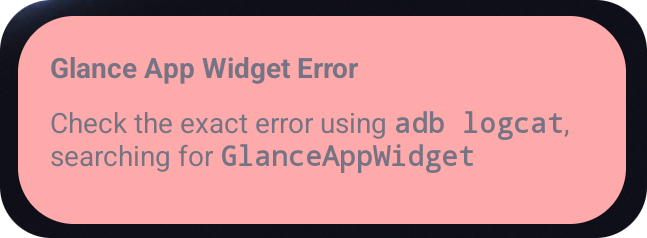
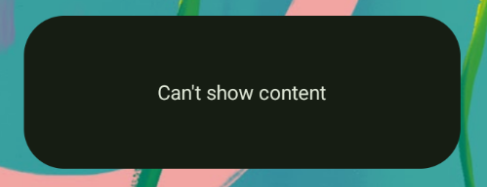
Glance ช่วยให้นักพัฒนาซอฟต์แวร์ระบุเลย์เอาต์ XML เป็นโฆษณาสำรองได้หากการคอมโพสิชันไม่สำเร็จ ซึ่งหมายความว่ามีข้อผิดพลาดในโค้ด Compose UI ข้อผิดพลาดนี้จะปรากฏขึ้นด้วยหากคุณมีข้อผิดพลาดที่ตรวจไม่พบในโค้ดของแอป
class UpgradeWidget : GlanceAppWidget(errorUiLayout = R.layout.error_layout) { // ... }
เพิ่มการดำเนินการลงใน UI ข้อผิดพลาดเริ่มต้น
ตั้งแต่ Glance 1.1.0 เป็นต้นไป Glance จะให้คุณลบล้างโค้ดการจัดการข้อผิดพลาดเริ่มต้นได้ วิธีนี้จะช่วยให้คุณเพิ่ม Callback การดำเนินการในกรณีที่มีข้อยกเว้นที่ตรวจไม่พบหรือข้อผิดพลาดใน Composition ได้
หากต้องการใช้ฟีเจอร์นี้ ให้ลบล้างฟังก์ชัน onCompositionError() ดังนี้
GlanceAppWidget.onCompositionError(
    context: Context,
    glanceId: GlanceId,
    appWidgetId: Int,
    throwable: Throwable
)
ในฟังก์ชันนี้ Glance จะกลับไปใช้ API RemoteViews เพื่อจัดการข้อผิดพลาด
ซึ่งช่วยให้คุณระบุเลย์เอาต์และตัวแฮนเดิลการดำเนินการโดยใช้ XML ได้
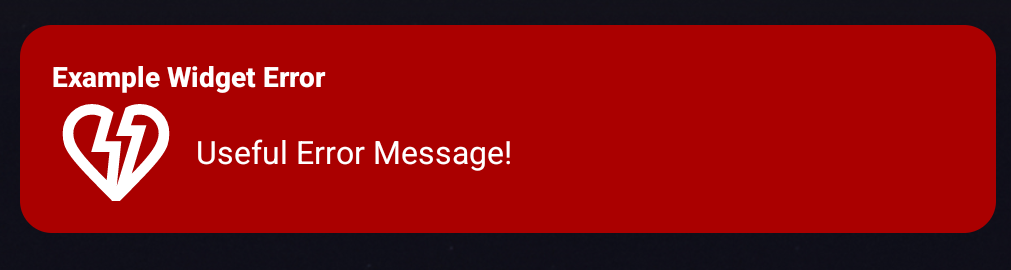
ตัวอย่างต่อไปนี้แสดงวิธีสร้าง UI ข้อผิดพลาดที่มีปุ่มสำหรับส่งความคิดเห็นแบบทีละขั้นตอน
เขียนไฟล์
error_layout.xml:<LinearLayout xmlns:android="http://schemas.android.com/apk/res/android" style="@style/Widget.MyApplication.AppWidget.Error" android:id="@android:id/background" android:layout_width="match_parent" android:textSize="24sp" android:layout_height="match_parent" android:orientation="vertical"> <TextView android:id="@+id/error_title_view" android:layout_width="match_parent" android:textColor="@color/white" android:textFontWeight="800" android:layout_height="wrap_content" android:text="Example Widget Error" /> <LinearLayout android:layout_width="match_parent" android:orientation="horizontal" android:paddingTop="4dp" android:layout_height="match_parent"> <ImageButton android:layout_width="64dp" android:layout_height="64dp" android:layout_gravity="center" android:tint="@color/white" android:id="@+id/error_icon" android:src="@drawable/heart_broken_fill0_wght400_grad0_opsz24" /> <TextView android:id="@+id/error_text_view" android:layout_width="wrap_content" android:textColor="@color/white" android:layout_height="wrap_content" android:layout_gravity="center" android:padding="8dp" android:textSize="16sp" android:layout_weight="1" android:text="Useful Error Message!" /> </LinearLayout> </LinearLayout>ลบล้างฟังก์ชัน
onCompositionErrorโดยทำดังนี้override fun onCompositionError( context: Context, glanceId: GlanceId, appWidgetId: Int, throwable: Throwable ) { val rv = RemoteViews(context.packageName, R.layout.error_layout) rv.setTextViewText( R.id.error_text_view, "Error was thrown. \nThis is a custom view \nError Message: `${throwable.message}`" ) rv.setOnClickPendingIntent(R.id.error_icon, getErrorIntent(context, throwable)) AppWidgetManager.getInstance(context).updateAppWidget(appWidgetId, rv) }
สร้าง Intent รอดำเนินการที่อ้างอิง
GlanceAppWidgetReceiverดังนี้private fun getErrorIntent(context: Context, throwable: Throwable): PendingIntent { val intent = Intent(context, UpgradeToHelloWorldPro::class.java) intent.action = "widgetError" return PendingIntent.getBroadcast(context, 0, intent, PendingIntent.FLAG_IMMUTABLE) }
จัดการ Intent ใน
GlanceAppWidgetReceiverดังนี้override fun onReceive(context: Context, intent: Intent) { super.onReceive(context, intent) Log.e("ErrorOnClick", "Button was clicked.") }