
This page describes how to implement basic Grid layouts.
Set up project
Add the
androidx.compose.foundation.layoutlibrary to your project'slib.versions.toml.[versions] compose = "1.13.0-beta01" [libraries] androidx-compose-foundation-layout = { group = "androidx.compose.foundation", name = "foundation-layout", version.ref = "compose" }Add the library dependency to your app's
build.gradle.kts.dependencies { implementation(libs.androidx.compose.foundation.layout) }
Create a basic grid
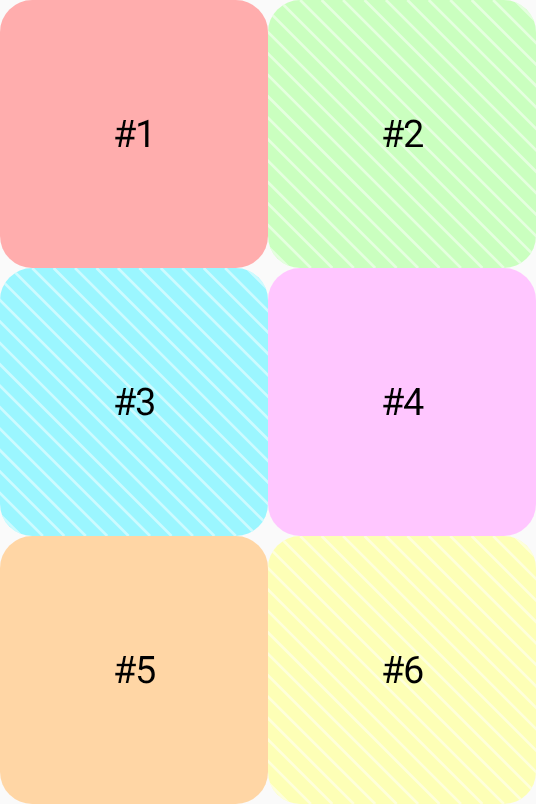
The following example creates a basic 2x3 grid,
with the columns and rows having a fixed size of 100.dp.
Grid( config = { repeat(2) { column(100.dp) } repeat(3) { row(100.dp) } } ) { Card1(containerColor = PastelRed) Card2(containerColor = PastelGreen) Card3(containerColor = PastelBlue) Card4(containerColor = PastelPink) Card5(containerColor = PastelOrange) Card6(containerColor = PastelYellow) }
To learn how to implement more advanced grids, see Set container properties and Set item properties.