

在搭载 Android 8.0(API 级别 26)及更高版本的设备上,允许用户创建固定快捷方式的启动器也允许用户将微件固定到主屏幕上。与固定快捷方式类似,这些固定微件可让用户访问应用中的特定任务,并且可以直接从应用添加到主屏幕,如以下视频所示。
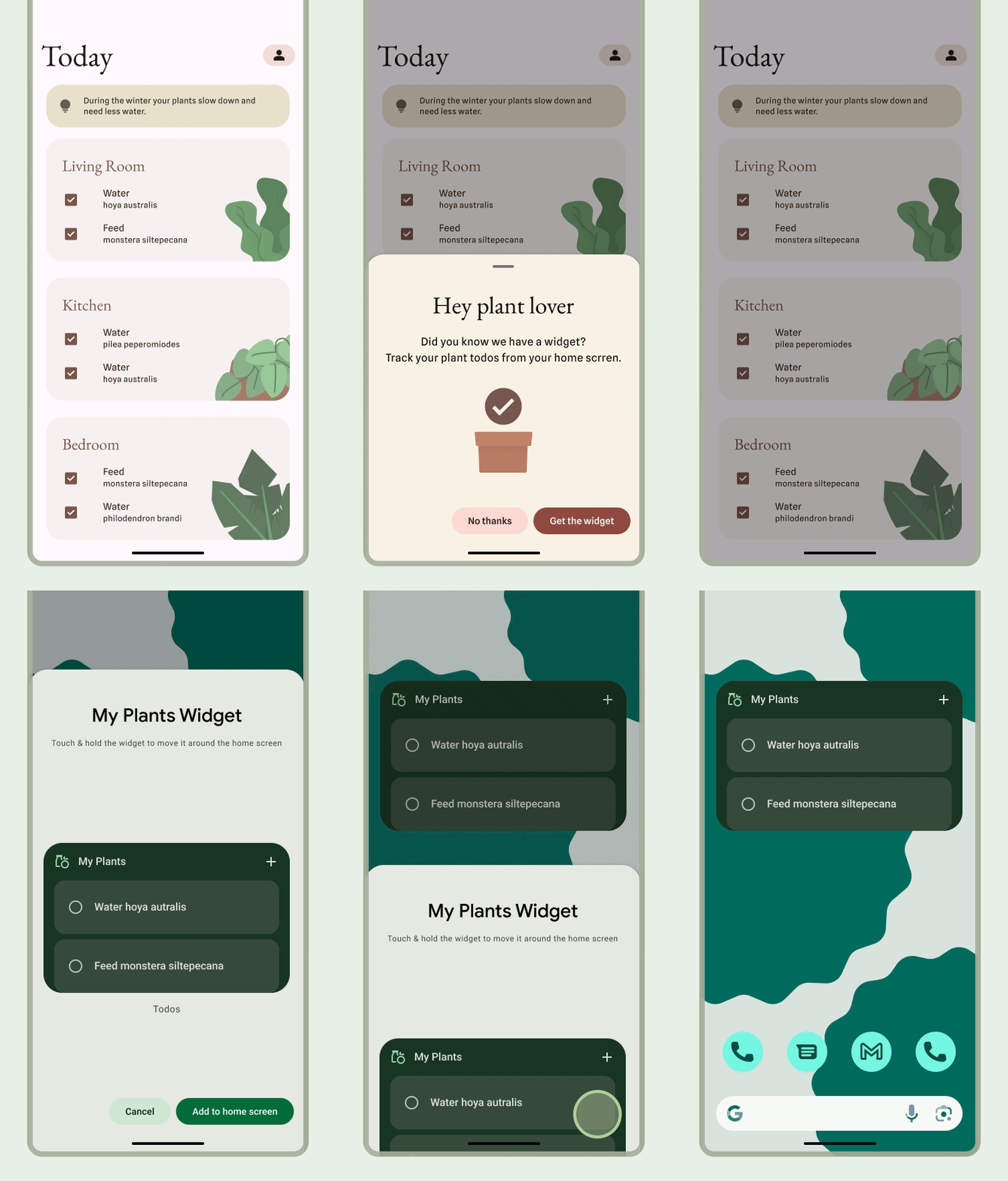
允许用户固定微件
在您的应用中,您可以完成以下步骤,创建让系统将微件固定到受支持启动器的请求:
调用
requestPinAppWidget()方法,如以下代码段所示:
val appWidgetManager = AppWidgetManager.getInstance(context) val myProvider = ComponentName(context, ExampleAppWidgetProvider::class.java) if (appWidgetManager.isRequestPinAppWidgetSupported) { // Create the PendingIntent object only if your app needs to be notified // when the user chooses to pin the widget. Note that if the pinning // operation fails, your app isn't notified. This callback receives the ID // of the newly pinned widget (EXTRA_APPWIDGET_ID). val successCallback = PendingIntent.getBroadcast( /* context = */ context, /* requestCode = */ 0, /* intent = */ Intent( // ... ), /* flags = */ PendingIntent.FLAG_UPDATE_CURRENT or PendingIntent.FLAG_IMMUTABLE ) appWidgetManager.requestPinAppWidget(myProvider, null, successCallback) }
相关设计指南
用户可以通过 widget 选择器或在应用内(当 widget 的功能最相关时)发现并添加您的 widget。如需了解详情,请参阅发现和推广。