


我们建议您使用
SearchView
微件作为应用栏中的一个项,以便在应用中提供搜索功能。与
应用栏中的所有项一样,您可以将 SearchView 设定为
始终显示或仅在有空间时显示。您还可以将其设定为一个可收起操作项,这最初会将 SearchView 显示为一个图标,然后当用户点按该图标时,它会以搜索字段的形式占据整个应用栏的空间。
将 SearchView 添加到应用栏
如需将 SearchView 微件添加到应用栏,请在您的项目中创建一个名为 res/menu/options_menu.xml 的文件,并将以下代码添加到该文件中。此代码定义了如何创建搜索项,例如要使用的图标和项的标题。通过 collapseActionView 属性,您的 SearchView 可以展开即可占据整个应用栏的空间,并在未使用时重新收起为一个普通的应用栏项。由于手机设备上的应用栏空间有限,我们建议使用 collapsibleActionView 属性,以提供更出色的用户体验。
<?xml version="1.0" encoding="utf-8"?>
<menu xmlns:android="http://schemas.android.com/apk/res/android">
<item android:id="@+id/search"
        android:title="@string/search_title"
        android:icon="@drawable/ic_search"
        android:showAsAction="collapseActionView|ifRoom"
        android:actionViewClass="androidx.appcompat.widget.SearchView" />
</menu>
如果您想要一个更易于访问的搜索图标,请在 /res/drawable 文件夹中创建一个 ic_search.xml 文件,并在其中添加以下代码:
<vector
    android:height="24dp"
    android:tint="#000000"
    android:viewportHeight="24"
    android:viewportWidth="24"
    android:width="24dp"
    xmlns:android="http://schemas.android.com/apk/res/android">
        <path android:fillColor="@android:color/white" android:pathData="M15.5,14h-0.79l-0.28,-0.27C15.41,12.59 16,11.11 16,9.5 16,5.91 13.09,3 9.5,3S3,5.91 3,9.5 5.91,16 9.5,16c1.61,0 3.09,-0.59 4.23,-1.57l0.27,0.28v0.79l5,4.99L20.49,19l-4.99,-5zM9.5,14C7.01,14 5,11.99 5,9.5S7.01,5 9.5,5 14,7.01 14,9.5 11.99,14 9.5,14z"/>
</vector>
如需在应用栏中显示 SearchView,请在 Activity 的 onCreateOptionsMenu() 方法中扩充 XML 菜单资源 res/menu/options_menu.xml:
Kotlin
override fun onCreateOptionsMenu(menu: Menu): Boolean {
    menuInflater.inflate(R.menu.options_menu, menu)

    return true
}
运行应用会生成类似如下内容:

SearchView 会显示在应用的应用栏中,但它不起作用。如果您点按搜索图标,则会看到类似如下内容:
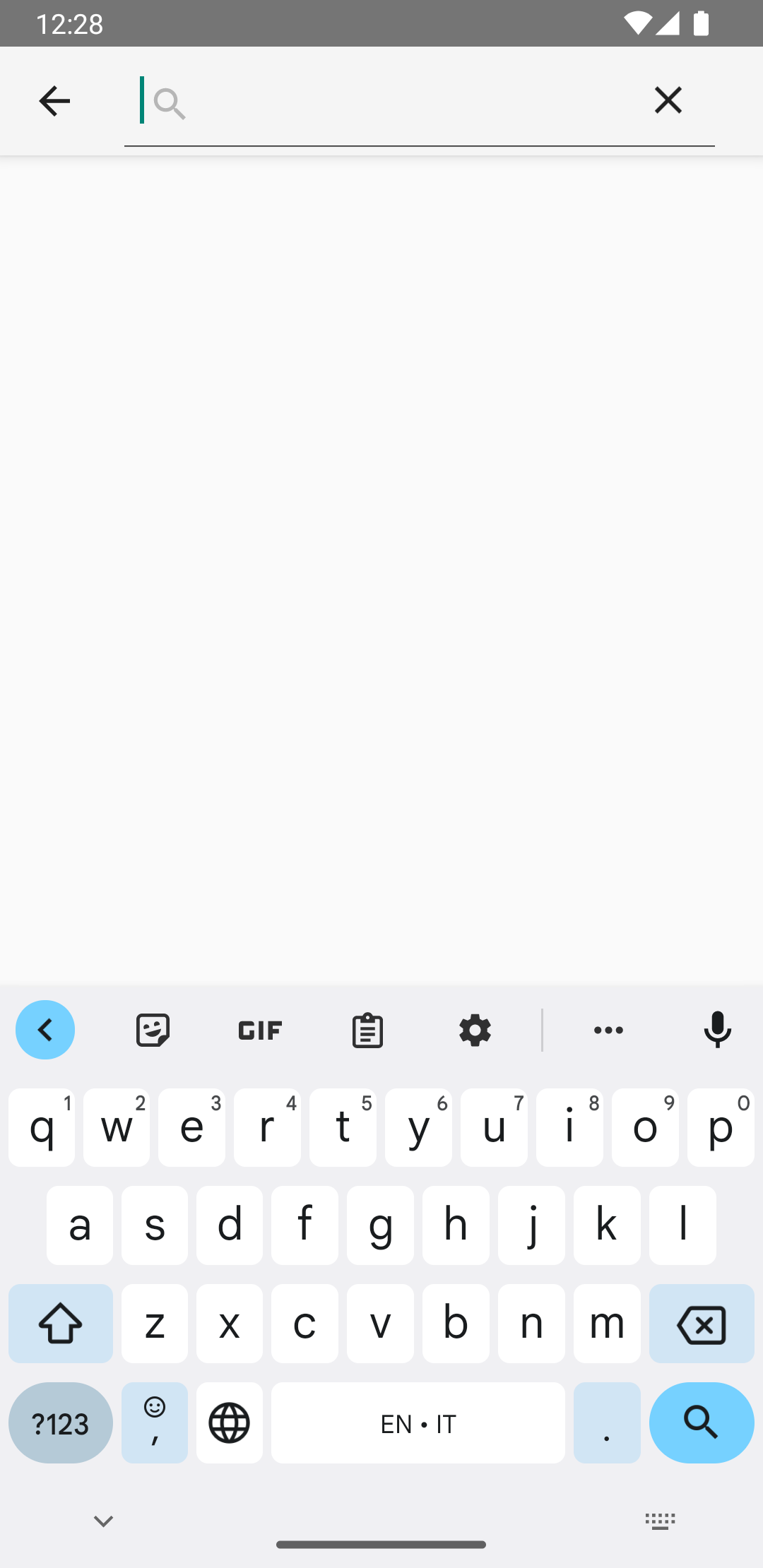
SearchView 正在运行。
如需使 SearchView 正常运行,您必须定义 SearchView 的行为方式。
创建搜索配置
搜索配置用于指定 SearchView 的行为方式,并在 res/xml/searchable.xml 文件中定义。搜索配置
必须至少包含一个 android:label 属性,其值与您的 Android 清单中
<application>
或 <activity>
元素的 android:label 属性的值相同。不过,我们还建议您添加一个 android:hint 属性,以便用户了解可在搜索框中输入的内容。
<?xml version="1.0" encoding="utf-8"?>

<searchable xmlns:android="http://schemas.android.com/apk/res/android"
        android:label="@string/app_name"
        android:hint="@string/search_hint" />
在应用的清单文件中,声明一个
<meta-data>
元素,指向 res/xml/searchable.xml 文件。在您想要在其中显示
SearchView的<activity>中声明该
元素。
<activity
android:name=".SearchResultsActivity"
android:exported="false"
android:label="@string/title_activity_search_results"
android:launchMode="singleTop"
android:theme="@style/Theme.AppCompat.Light">
    <intent-filter>
        <action android:name="android.intent.action.SEARCH" />
    </intent-filter>
    <meta-data
        android:name="android.app.searchable"
        android:resource="@xml/searchable" />
</activity>
在您创建的 onCreateOptionsMenu() 方法中,通过调用 setSearchableInfo(SearchableInfo) 将搜索配置与 SearchView 相关联:
Kotlin
override fun onCreateOptionsMenu(menu: Menu): Boolean {
    menuInflater.inflate(R.menu.options_menu, menu)

    val searchManager = getSystemService(Context.SEARCH_SERVICE) as SearchManager
    val searchView = menu.findItem(R.id.search).actionView as SearchView
    val component = ComponentName(this, SearchResultsActivity::class.java)
    val searchableInfo = searchManager.getSearchableInfo(component)
    searchView.setSearchableInfo(searchableInfo)
    return true
}
调用
getSearchableInfo()
可获取通过搜索配置 XML 文件创建的
SearchableInfo
对象。搜索配置与您的 SearchView 正确关联后,当用户提交查询时,SearchView 会使用 ACTION_SEARCH intent 启动 Activity。然后,您需要一个可以过滤此 intent 并处理搜索查询的 Activity。
创建可搜索 Activity
可搜索 Activity 可以过滤 ACTION_SEARCH intent,并在数据集内搜索查询。如需创建可搜索 Activity,请声明一个您选择用于过滤 ACTION_SEARCH intent 的 Activity:
<activity android:name=".SearchResultsActivity" ... >
    ...
    <intent-filter>
        <action android:name="android.intent.action.SEARCH" />
    </intent-filter>
    ...
</activity>
在您的可搜索 Activity 中,通过在 onCreate() 方法中检查 ACTION_SEARCH intent 对其进行处理。
Kotlin
class SearchResultsActivity : AppCompatActivity() {

    override fun onCreate(savedInstanceState: Bundle?) {
        super.onCreate(savedInstanceState)
        setContentView(R.layout.activity_search_results)
        handleIntent(intent)
    }

    override fun onNewIntent(intent: Intent) {
        super.onNewIntent(intent)
        handleIntent(intent)
    }

    private fun handleIntent(intent: Intent) {
        if (Intent.ACTION_SEARCH == intent.action) {
            val query = intent.getStringExtra(SearchManager.QUERY)
            Log.d("SEARCH", "Search query was: $query")
        }
    }
}
现在,SearchView 可以接受用户的查询,并使用 ACTION_SEARCH intent 启动您的可搜索 Activity。
获取搜索查询后,您可以将其传递给 ViewModel,以便在架构的其他层中使用它来检索要显示的搜索结果。