

Android 15 以降には、Glance のエラー処理を改善するための API 機能が含まれています。このページでは、これらの API に関するベスト プラクティスについて説明します。
非コンポーザブル コンポーネントの周囲に try-catch ブロックを使用する
Compose では、コンポーザブルの周囲に try-catch ブロックを使用することはできませんが、アプリの他のロジックをこれらのブロックでラップすることはできます。これにより、次の例に示すように、エラービューに Compose を使用できます。
provideContent { var isError = false var data = listOf<String>() try { val repository = (context.applicationContext as MyApplication).myRepository data = repository.loadData() } catch (e: Exception) { isError = true // TODO: handle error } if (isError) { ErrorView() } else { Content(data) } }
デフォルトのエラー レイアウト
キャッチされない例外または Compose エラーが発生した場合、Glance はデフォルトのエラー レイアウトを表示します。
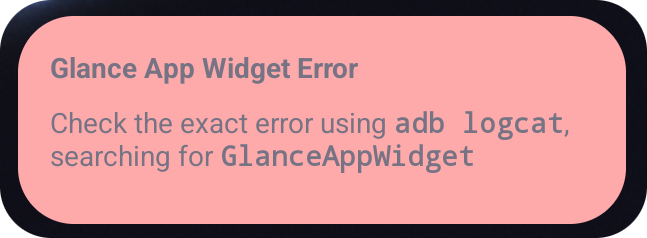
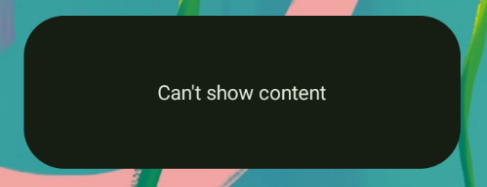
Glance では、コンポジションが失敗した場合に、XML レイアウトをフォールバックとして提供できます。これは、Compose コードにエラーがあったことを意味します。アプリのコードにキャッチされないエラーがある場合にも、このエラー UI が表示されます。
class UpgradeWidget : GlanceAppWidget(errorUiLayout = R.layout.error_layout) { // ... }
デフォルトのエラー UI にアクションを追加する
Glance 1.1.0 以降では、デフォルトのエラー処理コードをオーバーライドできます。 これにより、キャッチされない例外またはコンポジションのエラーが発生した場合に、アクション コールバックを追加できます。
この機能を使用するには、
onCompositionError() 関数をオーバーライドします。
GlanceAppWidget.onCompositionError(
    context: Context,
    glanceId: GlanceId,
    appWidgetId: Int,
    throwable: Throwable
)
この関数では、Glance はエラー処理に RemoteViews API にフォールバックします。
これにより、XML を使用してレイアウトとアクション ハンドラを指定できます。
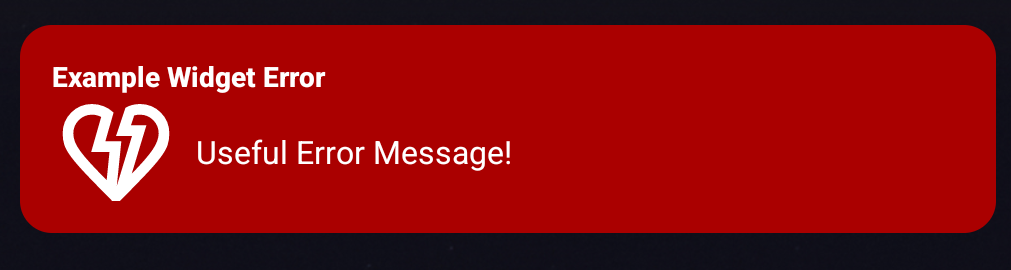
次の例では、フィードバックを送信するボタンを含むエラー UI を作成する方法をステップごとに示します。
error_layout.xmlファイルを作成します。<LinearLayout xmlns:android="http://schemas.android.com/apk/res/android" style="@style/Widget.MyApplication.AppWidget.Error" android:id="@android:id/background" android:layout_width="match_parent" android:textSize="24sp" android:layout_height="match_parent" android:orientation="vertical"> <TextView android:id="@+id/error_title_view" android:layout_width="match_parent" android:textColor="@color/white" android:textFontWeight="800" android:layout_height="wrap_content" android:text="Example Widget Error" /> <LinearLayout android:layout_width="match_parent" android:orientation="horizontal" android:paddingTop="4dp" android:layout_height="match_parent"> <ImageButton android:layout_width="64dp" android:layout_height="64dp" android:layout_gravity="center" android:tint="@color/white" android:id="@+id/error_icon" android:src="@drawable/heart_broken_fill0_wght400_grad0_opsz24" /> <TextView android:id="@+id/error_text_view" android:layout_width="wrap_content" android:textColor="@color/white" android:layout_height="wrap_content" android:layout_gravity="center" android:padding="8dp" android:textSize="16sp" android:layout_weight="1" android:text="Useful Error Message!" /> </LinearLayout> </LinearLayout>onCompositionError関数をオーバーライドします。override fun onCompositionError( context: Context, glanceId: GlanceId, appWidgetId: Int, throwable: Throwable ) { val rv = RemoteViews(context.packageName, R.layout.error_layout) rv.setTextViewText( R.id.error_text_view, "Error was thrown. \nThis is a custom view \nError Message: `${throwable.message}`" ) rv.setOnClickPendingIntent(R.id.error_icon, getErrorIntent(context, throwable)) AppWidgetManager.getInstance(context).updateAppWidget(appWidgetId, rv) }
GlanceAppWidgetReceiverを参照するペンディング インテントを作成します。private fun getErrorIntent(context: Context, throwable: Throwable): PendingIntent { val intent = Intent(context, UpgradeToHelloWorldPro::class.java) intent.action = "widgetError" return PendingIntent.getBroadcast(context, 0, intent, PendingIntent.FLAG_IMMUTABLE) }
GlanceAppWidgetReceiverでインテントを処理します。override fun onReceive(context: Context, intent: Intent) { super.onReceive(context, intent) Log.e("ErrorOnClick", "Button was clicked.") }