Google Play Instant ช่วยให้ผู้ใช้สามารถใช้แอปหรือเกมได้โดยไม่ต้องติดตั้งก่อน เพิ่มการมีส่วนร่วมกับแอป Android หรือเพิ่มยอดการติดตั้งด้วยการแสดง Instant App ใน Google Play Store และแอป Google Play Games

วิธีเผยแพร่เกมเป็นแอป Google Play Instant
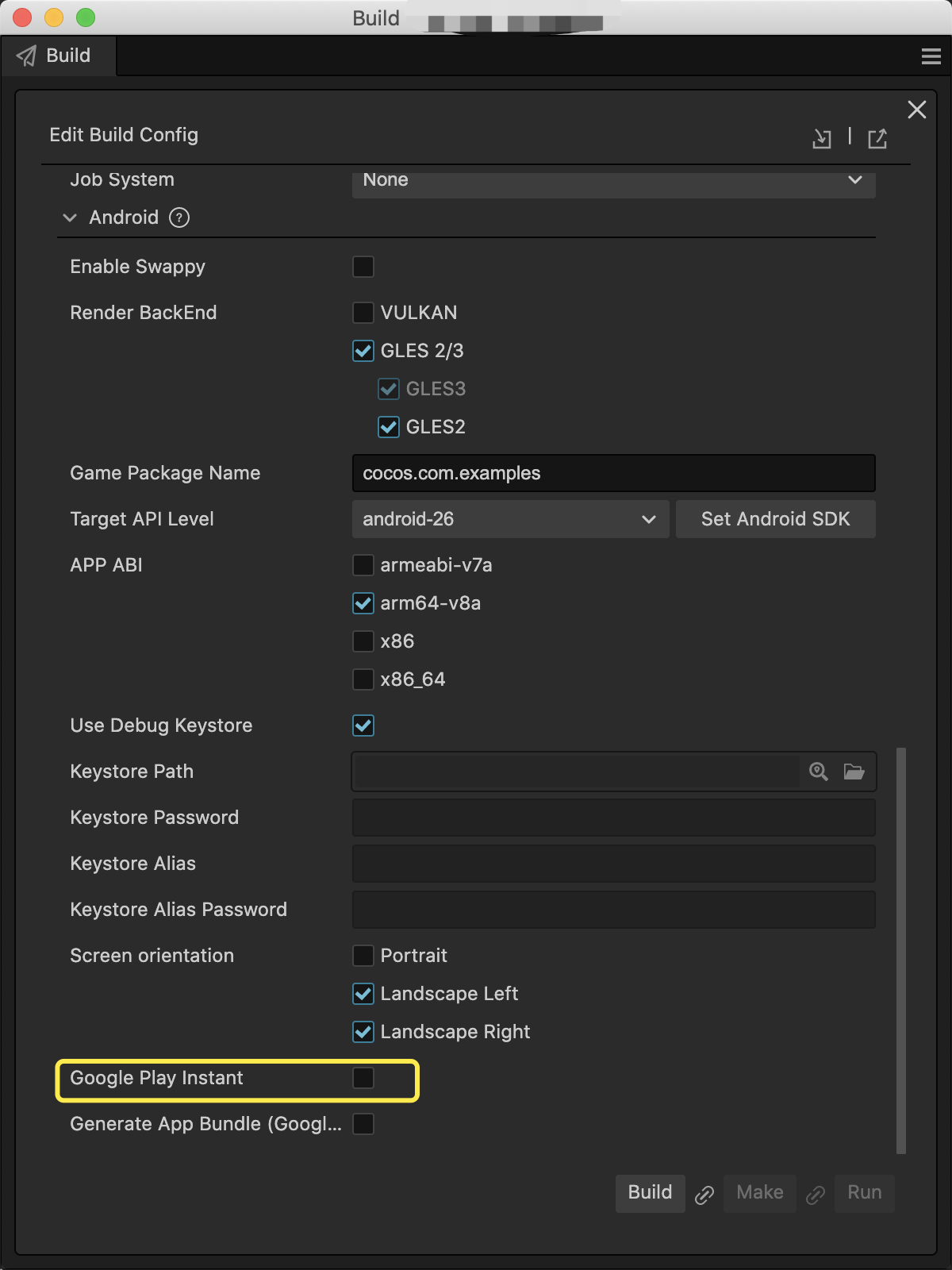
ใน Cocos Creator เพียงเลือกตัวเลือก Google Play Instant ในแผง Android Build จากนั้นคุณจะเผยแพร่เกมที่มีความสามารถของ Google Play Instant ได้
สิ่งที่ควรทราบ
โปรดทราบประเด็นต่อไปนี้เมื่อเผยแพร่เกมเป็นแอป Google Play Instant
ตรวจสอบว่าคุณได้ติดตั้ง Android Studio v4.0 ขึ้นไปแล้ว
Google Play Instant จะเปิดได้เฉพาะในอุปกรณ์ที่ใช้ Android 6.0 ขึ้นไปซึ่งติดตั้ง Google Service Framework ไว้
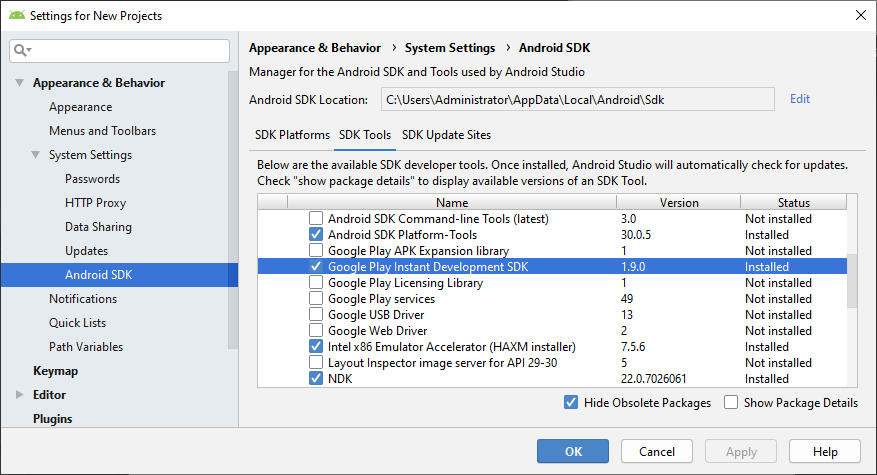
ก่อนคอมไพล์ใน Android Studio นักพัฒนาแอปควรดาวน์โหลดและติดตั้ง Google Play Instant Development SDK (สำหรับ Windows) หรือ Instant Apps Development SDK (สำหรับ Mac) ด้วย หากดาวน์โหลดไม่สำเร็จ คุณอาจต้องตั้งค่าพร็อกซี HTTP สำหรับ Android Studio